21 devlogs
35h 58m 27s
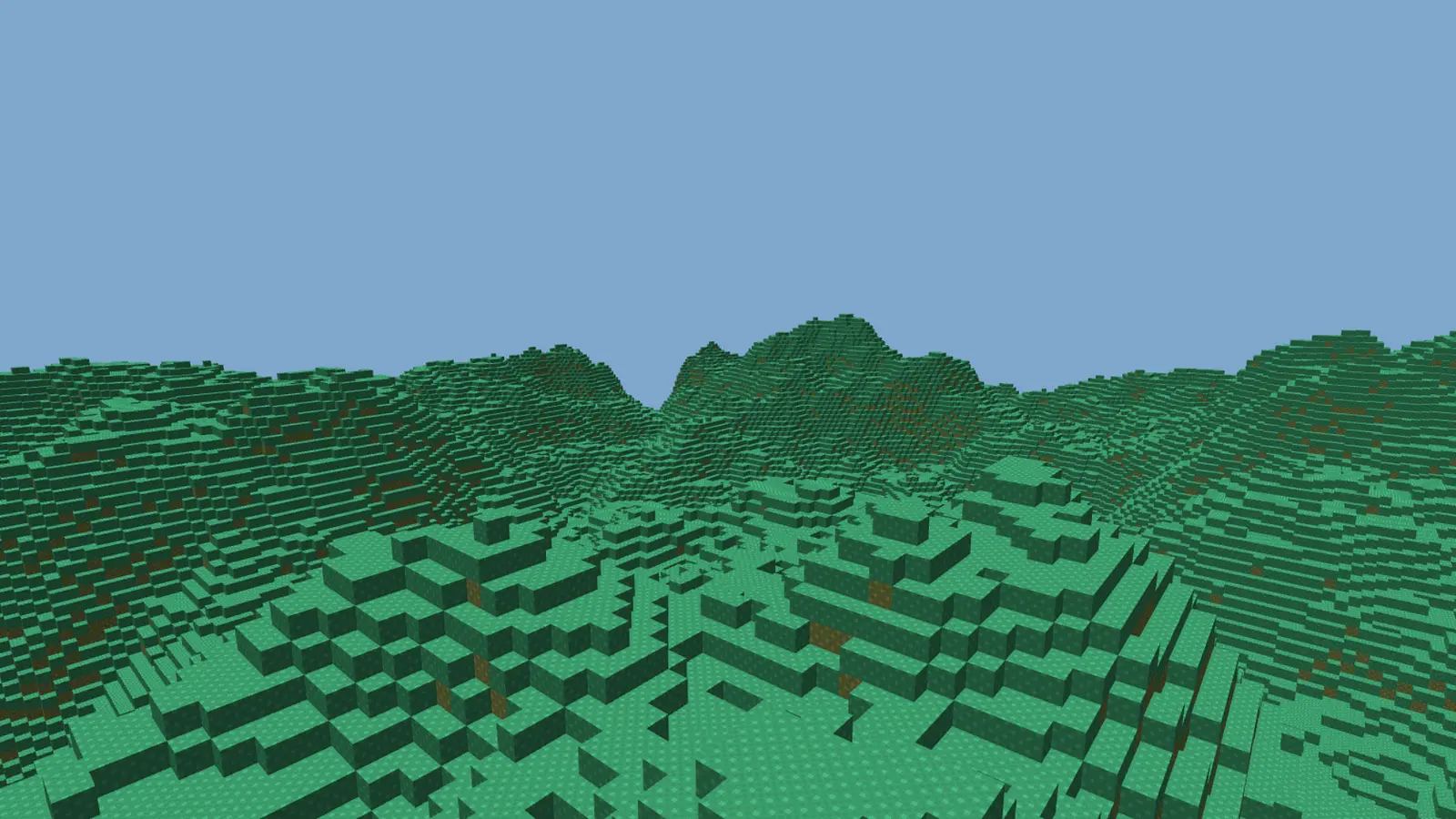
3D natural landscape made from voxels (cubes), similar to Minecraft.
3D natural landscape made from voxels (cubes), similar to Minecraft.
Added a threadpool to mesh many chunks at once, and added a limit on chunk creations per frame.
Chunks still need to be generated faster, however there are no lag spikes now.
You can try it out on the demo.
Log in to leave a comment
damm , this looks so cool
I added a single worker thread for meshing to help reduce lag spikes when moving between chunks.
There is still a large amount of lag, so I will need to continue investigating and fixing this before I add interesting biomes and other features.

Log in to leave a comment
I spend a while messing around with biome selection, and i ended up with a noise map of “biomeNoise” which tells every column of blocks how much to use the mountains noise and how much to use the plains noise. This means that I get smooth transitions between mountainous biomes and plains biomes.
I use a smoothstep function (f(x) = 3x² - 2x³) to get smoother transitions between biomes.
In the image attached, anything classed as a mountains biome is in stone and everything that is a plains biome is in grass.

Log in to leave a comment
I made chunks load and unload as you move around, so you can explore the terrain now. It’s slightly laggy, so I will eventually make it fully multithreaded and also try to speed up the meshing algorithm.
Remember to try out the demo!
Log in to leave a comment
I love how it also generates underground depth, great job!
I added quite a few things in this devlog.
Firstly, I added mipmaps, which are reduced quality textures for farther away objects, increasing performance.
Secondly, I added stone, and made all the block textures much warmer.
Whilst doing this, I also changed my shader code to automatically get the tile x and y without me having to hard code it per block.
Finally, I added greedy meshing. This means that faces next to each other are combined into one big face, reducing the number of triangles rendered. This increases performance a lot, however at the moment creating the mesh for each chunk takes too long. This means when I make it possible to move around with chunks loading and unloading around you, it will lag a lot. I will need to fix this at some point, however at the moment I’m not sure how.


Log in to leave a comment
Again I only added a few things this update: firstly textures, with which I use a texture atlas and calculate the texture coordinates in the fragment shader, using vertex position data and the block type.
I currently only have grass and dirt blocks (I know the textures are iffy but I will improve them later), but I plan to expand that in the future.
I also changed the clear colour to a sky blue in place of a skybox, I will add one eventually but it improves the aesthetics for now.
Please remember the demo is live, you have to click to grab the mouse and then you can try it, however it only works on computers, not phones yet.

Log in to leave a comment
I added more chunks in a world class, and fixed the meshing so it no longer draws faces between chunks, where nobody will see them. I also added noise (the same library I used in the C++ version) to generate a more natural-looking landscape.

Log in to leave a comment
I (again I know) swapped graphics APIs to WebGL2. This aligns closer to the OpenGL I was using before, so it makes much more sense to me and I am faster and better at it. I have added chunks with simple lighting so far, and I next plan on adding a world with many chunks, and noise for the terrain.
Demo is now available at https://stalhein.github.io/voxels/ (you have to click to grab the mouse)!

Log in to leave a comment
I upgraded the triangle to a cube with a faces array. I also added direction based lighting with normals on each face. WebGPU uses WGSL instead of GLSL for shaders, so I’m still getting used to it. I also fixed a bug where looking straight up or down made the faces disappear.
Log in to leave a comment
I GOT 3D WORKING IN A BROWSER!!!
I now have to recode my engine in JS and WebGPU, as my original C++ and OpenGL project couldn’t be ported to the browser for the demo. I haven’t used JS much, and have never used WebGPU, so whilst I’m learning it my progress will be slower. I have finally got it working in 3D, with a camera and keyboard/mouse movement.
Please note the recording below is slightly laggy because of screen recording, when I’m not recording it has no lag.
Log in to leave a comment
Learning JS and WebGPU to redo my voxel engine a browser. At the moment progress is slow, but as I understand JS and WebGPU better, I should be able to focus on the game mechanics more, and progress will speed up.

Log in to leave a comment
I cleaned up a lot of the code and made it easier to read.
I also discovered that I need to add a demo of the project on a website, and that isn’t possible with C++ and OpenGL, especially with the libraries I use for it. To solve this, I plan to look at WebGPU with JS, and possibly experiment with WASM rust for high performance code.

Log in to leave a comment
I added more blocks (sand, water), and made some changes to the world generation to make it better. I spent ages trying to get water to work, but I had loads of issues trying to get the depth buffer to work, there were either holes or faces in-between chunks underwater as shown in the picture. I have given up on water for now but intend to add it in the future.
My code is getting really messy, and adding more features is getting harder and harder. I am going to redo lots of the code, focusing on a server based architecture. I will also probably make some smaller projects whilst doing this so i don’t get burned out.


Log in to leave a comment
I think your water is broken mate
I made some changes to world generation to make it more natural. I then added ray casting with DDA in 3D to see what block the player is looking at. I then added block breaking and placing, re meshing the chunk and it’s neighbours when necessary.
I plan to add more block types and things like water and trees in the next devlog.
Log in to leave a comment
Wow!!!
aaaa looks fun :DD
When will u finish?
I fixed some bugs and made world generation faster, and then changed my mind and deleted it. I think I will change my goal from a natural world like Minecraft, to a small, fixed-size world, possibly with A.I. which shoot at the player. Voxels suit a game like this, as I can add things like world destruction from bullets e.t.c.. I plan to make this into a world editor and saver so I can create worlds easier, and then create a new project which builds upon this one, with game mechanics.

Log in to leave a comment
terrain generation is super interesting! maybe you should experince w/ adding trees as well
looking good brochacho
aaa i like this idea :0
looks like cake im hungry now lol
I made chunks load around the player depending on the players location. To do this I implemented multi threading, which allows the player to move with less of a lag spike when loading new chunks. I used BS_thread_pool, a thread pool library, to do this.
Log in to leave a comment
nice nice :D
Fixed meshing bug where faces would render between chunks.
Added a larger render distance.
Added fog, computed on the GPU, which occurs between two set distances from the player.

Log in to leave a comment
Ohhh this looks awesome :DDD
Added noise-based terrain generation that looks somewhat natural, using FastNoiseLite.

Log in to leave a comment
Added a new world class to handle chunks. Each chunk now renders from an array of blocks.

Log in to leave a comment
It now renders a cube, with all 6 faces stored in an array. An index for the normal (direction the face points) is also sent to the GPU, as there are only 6 directions a face can point. The normal is packed into the same 32 bit intager the coordinates are stored in. Simple direction-based lighting is done on the GPU to make viewing blocks easier.

Log in to leave a comment
Basic setup of OpenGL with a shader class, a camera and rendering a triangle. All vertices are packed into 32 bit unsigned intagers to save space with grid aligned voxel coordinates.

Log in to leave a comment