Lemon Pie pico - A power full mini computer banner

Lemon Pie pico - A power full mini computer

14 devlogs
25h 0m 18s

The Lemon Pi is a custom hardware development board built around RP2350B for general use case,hardware auditing, automotive testing, and computer vision projects.

It combines a powerful dual-core processor, a dedicated camera interface, and a b…

The Lemon Pi is a custom hardware development board built around RP2350B for general use case,hardware auditing, automotive testing, and computer vision projects.

It combines a powerful dual-core processor, a dedicated camera interface, and a built-in hardware debugger. Most importantly, it features complete physical isolation between the board and your computer, protecting your laptop from dangerous voltage spikes when connecting to vehicle networks or industrial hardware.


Hardware Specifications

  • Main Processor: Raspberry Pi RP2350B
  • Built-in Debugger: RP2040 acting as an onboard programmer (Picoprobe)
  • Memory: 16MB Flash for firmware, plus an 8MB PSRAM
  • Hardware Protection: Fully isolated USB Type-C port using ADuM3160 and B0505S chips
  • Automotive: 1x CAN-FD interface with a 3-pin terminal block and selectable 120-ohm termination
  • Wireless: Wi-Fi 4 and Bluetooth 5.2 built-in via the RM2 module (SPI interface)
  • Vision: 24-pin DVP camera port
Demo Repository

Loading README...

ego

Finally the PCB is complete, everything is fine, zero DRC errors

With the routing complete, I ran the final Design Rule Check (DRC). Unlike the logical ERC run during the schematic phase, the DRC checks the physical manufacturing constraints. It verifies that no copper traces are too close together, that vias are the correct drill size, and that components do not physically overlap. The DRC returned zero errors, confirming the board was physically viable.

Attachment
Attachment
Attachment
0
ego

I didn’t want to drag out the PCB design too much, so I’m developing it all in one go.

80% of the routing is now complete, just a few things left like DRC checks and some cleanup for the trace

I configured a strict 4-Layer Stackup:

Layer 1 (Top Layer): Component placement and high-speed signal routing (USB differential pairs,QSPI memory lines).

Layer 2 (Inner Layer 1 - Ground Plane): A continuous, unbroken copper pour dedicated entirely to GND. This provides an immediate, low-impedance return path for every high-speed signal on Layer 1, strictly controlling trace impedance and minimizing EMI.

Layer 3 (Inner Layer 2 - Power Plane): A split copper pour handling the bulk power distribution Utilizing a plane instead of thin traces ensures stable power delivery under transient loads without starving the microcontrollers.

Layer 4 (Bottom Layer): Slower, low-priority signal routing (GPIO breakouts, LED traces, I2C) and debugging headers.

With the footprints verified, the logic checked, and the 4-layer physical foundation established, the architecture phase of the Lemon Pi is officially closed. The next engineering challenge is the physical puzzle: placing the components, respecting the galvanic isolation gap, and routing the high-speed copper.

Attachment
0
ego

schematic completed yeahhhhhhhhhh

By this point in the design process, every major functional block was successfully integrated into the schematic. The power delivery, memory, isolation, automotive, wireless, and vision systems were all logically wired.


When initially laying out a high-pin-count microcontroller like the RP2350B, it is common to break out every pin with generic labels (e.g., GP0 through GP47). While this prevents accidental pin overlap during layout, it is practically useless during firmware development. If a developer looks at the schematic six months later to write a camera driver, seeing GP15 tells them nothing.


To ensure the schematic was self-documenting, I refactored the generic GPIO labels into strict functional labels across the entire sheet.

  • Generic SPI pins became WIFI_SCLK, WIFI_TX, WIFI_RX, and WIFI_CS.

  • Generic parallel pins became CAM_D0 through CAM_D7.

  • The CAN interface was explicitly tagged as CAN_TX and CAN_RX.


here are the final list of component;-

  • Main MCU: Raspberry Pi RP2350B (QFN-80)

  • Primary Storage: W25Q128JVSIQ (16MB QSPI Flash)

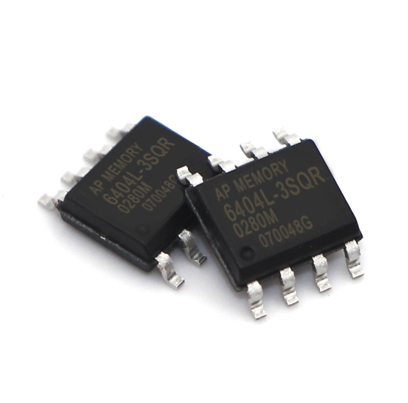
  • Buffer Memory: APS1604M-3SQR-SN (8MB QSPI PSRAM)

  • Debugger MCU: Raspberry Pi RP2040 (QFN-56)

  • Debugger Storage: W25Q16JVUXIQ (2MB QSPI Flash)

  • Digital Isolator: Analog Devices ADuM3160

  • Isolated Power: Mornsun B0505S-1WR3 (5V-to-5V DC-DC)

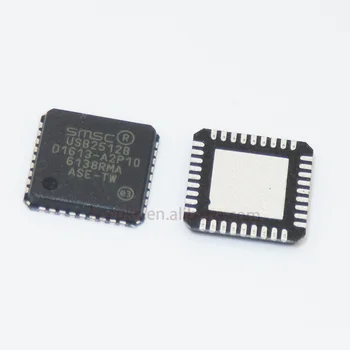
  • USB Hub Controller: Microchip USB2512B (2-Port)

  • ESD Protection: TPD4S012 (Data line clamping)

  • Main Logic Power: AP2112K-3.3 (3.3V LDO for MCUs and ICs)

  • Camera Core Power: AP2112K-1.5 (Dedicated 1.5V LDO for OV5640)

  • MCU Core Power: Internal RP2350 SMPS (Driven by 2.2µH Inductor)

Attachment
Attachment
Attachment
0
ego

Hardware SWD Misconception

A common routing mistake when implementing an onboard programmer is attempting to connect the physical SWCLK and SWDIO pins of the debugger MCU directly to the SWCLK and SWDIO pins of the target MCU.(I did the same thing many times lol yaaaaaaay )

alt text

During the schematic layout, I had to ensure this did not happen. The dedicated hardware SWD pins on the RP2040 (Pins 24 and 25) are strictly input pins meant for debugging the RP2040 itself. If I wired those to the RP2350, both chips would simply wait for an external host to provide a clock signal, resulting in a dead bus.


Routing the Picoprobe Interface

Instead of using hardware SWD peripherals, the Picoprobe firmware utilizes the RP2040’s Programmable I/O (PIO) blocks to “bit-bang” the SWD protocol out of standard general-purpose I/O pins.

To implement this, I established a dedicated 3-wire control bus between the two microcontrollers:

  1. SWCLK_TARGET: Routed from RP2040 GPIO2 to RP2350 SWCLK. This provides the synchronization clock for the debug data.

  2. SWDIO_TARGET: Routed from RP2040 GPIO3 to RP2350 SWDIO. This handles the bidirectional data transfer.

  3. RP2350_RUN: Routed from RP2040 GPIO4 to the RP2350 RUN pin.

The third line (RP2350_RUN) is a critical addition for a reliable development cycle. By giving the RP2040 physical control over the RP2350’s hardware reset pin, the host PC can issue a command via OpenOCD to automatically halt and reset the target MCU immediately before and after flashing a new binary.

Attachment
0
ego

after the USB data was safely crossing into the board’s internal circuitry.
However, that single USB line now needed to communicate with both the RP2350 core and the RP2040 debugger simultaneously.
To multiplex this connection, I implemented a dedicated, embedded USB hub on the PCB using the Microchip USB2512B, a highly reliable 2-port USB 2.0 hub controller.
alt text

Routing the Upstream and Downstream Ports

The physical routing for the data lines was straightforward but required strict impedance control.

  1. Upstream: The differential data lines exiting the ADuM3160 digital isolator were routed directly into the USBDP_UP and USBDM_UP (Upstream) pins of the USB2512B.

  2. Downstream Port 1: Routed to the dedicated USB PHY pins on the main RP2350B.

  3. Downstream Port 2: Routed to the dedicated USB PHY pins on the RP2040 Picoprobe.

alt text
To drive the internal PLLs required for USB 2.0 timing synchronization, I added a dedicated 24MHz crystal oscillator (X2) with 22pF load capacitors specifically for the hub controller.

The USB2512B is a highly programmable IC. In a complex commercial product, you might connect its SDA and SCL pins to a master microcontroller to write custom OEM descriptors or power profiles into the hub via SMBus/I2C.

Likewise, because our downstream devices (the two microcontrollers) are permanently soldered to the board and powered by the main 3.3V LDO, the hub does not need to switch physical port power on and off. Therefore, the Port Power Control (PRTPWR1, PRTPWR21) output pins were also left safely floating.

Attachment
0
ego

ADuM3160

Power is only half the equation; the USB data lines (D+ and D-) also require physical separation. Passing high-speed differential signals across an isolation gap requires specialized silicon.

alt text

I utilized the Analog Devices ADuM3160 full/low-speed USB digital isolator. Instead of optical isolation, this chip uses internal micro-transformers to pass the USB signals magnetically. The upstream side of the chip is powered by the raw USB VBUS and GND_USB, while the downstream side is powered by our isolated +5V_ISO and board GND. This guarantees that even if a catastrophic voltage spike hits the CAN transceiver and shifts the board’s entire ground plane, the energy cannot propagate backward into the host PC’s USB controller.

During the final schematic review of the isolation gap, I identified a critical layout oversight that would have bypassed the entire isolation barrier.

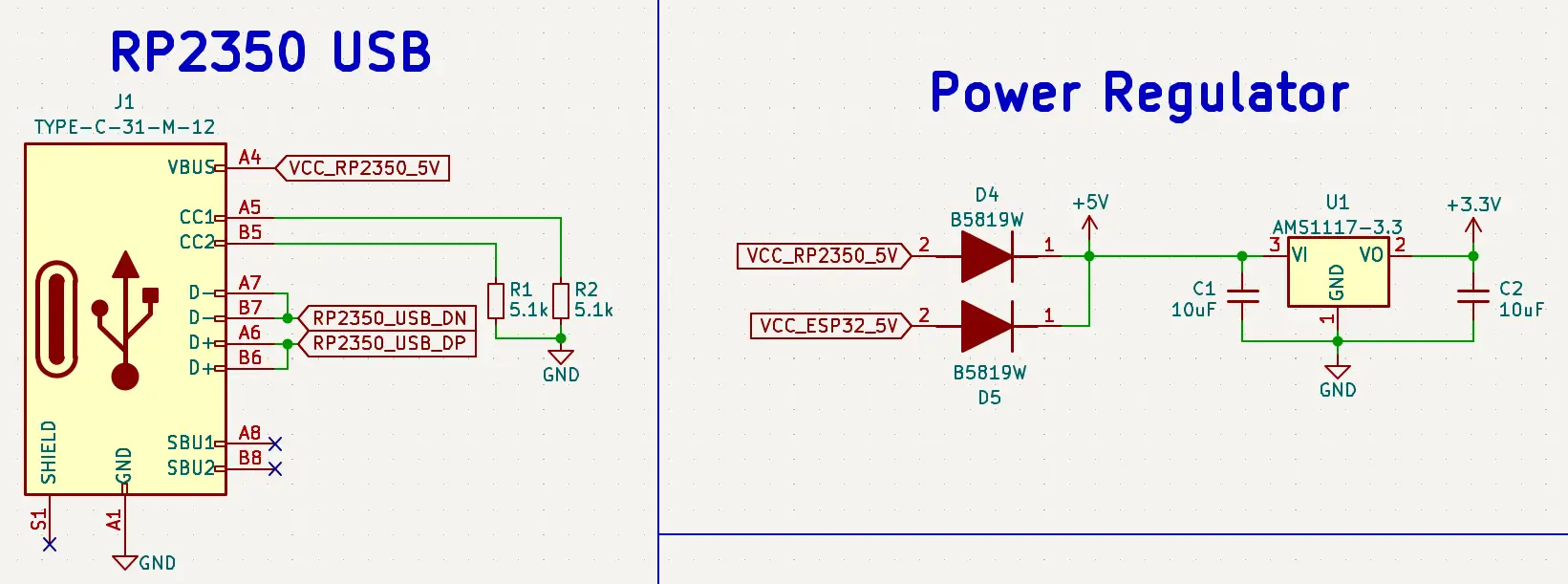
A standard USB Type-C receptacle requires two 5.1kΩ pull-down resistors on the CC1 and CC2 pins to signal the host PC to provide 5V power. In the initial layout, I routed these pull-down resistors to the main board GND.

Attachment
0
ego

B0505S-1WR3

First, I had to isolate the power delivery. You cannot power the onboard microcontrollers directly from the USB VBUS if you want to maintain an isolated ground plane.

To solve this, I routed the incoming USB power into a B0505S-1WR3 isolated DC-DC converter. This component takes the incoming 5V (VBUS) and USB ground (GND_USB) and transfers the energy magnetically across an internal transformer. It outputs a completely separate 5V supply (+5V_ISO) and establishes the main board-level GND.
alt text
This +5V_ISO net is then fed into an AP2112K-3.3 linear regulator to generate the clean +3V3 required by the microcontrollers, ensuring no direct electrical path exists between the PC’s power supply and the board’s logic.

Attachment
0
ego

Because the RP2040 is also a flashless microcontroller, it required its own dedicated memory to hold the probe firmware. I routed a 2MB W25Q16JVUXIQ QSPI Flash chip to the RP2040’s memory bus. To ensure there was no confusion during layout, I prefixed all of its QSPI Net Labels with DBG_ (e.g., DBG_FLASH_CS, DBG_QSPI_SCLK). This ensured the EDA software wouldn’t accidentally merge the debugger’s memory bus with the main processor’s memory bus.
alt text

While routing the core power for the RP2040, I ran into a critical architectural difference between the two generations of silicon.

Since I had just finished designing the 1.1V power supply for the RP2350B, my initial instinct was to duplicate that exact layout for the RP2040—including the 2.2µH external inductor for the Switched-Mode Power Supply (SMPS).

However, reviewing the datasheet revealed a major discrepancy. Unlike the newer RP2350, the older RP2040 does not utilize an internal SMPS. Instead, it relies on a much simpler internal Low-Dropout Regulator (LDO) to generate its 1.1V core voltage. Placing an inductor on the regulator output here would have caused severe voltage instability or failure to boot.
alt text

Attachment
0
ego

If you do any serious bare-metal firmware development, you know the frustration of the physical debug loop.
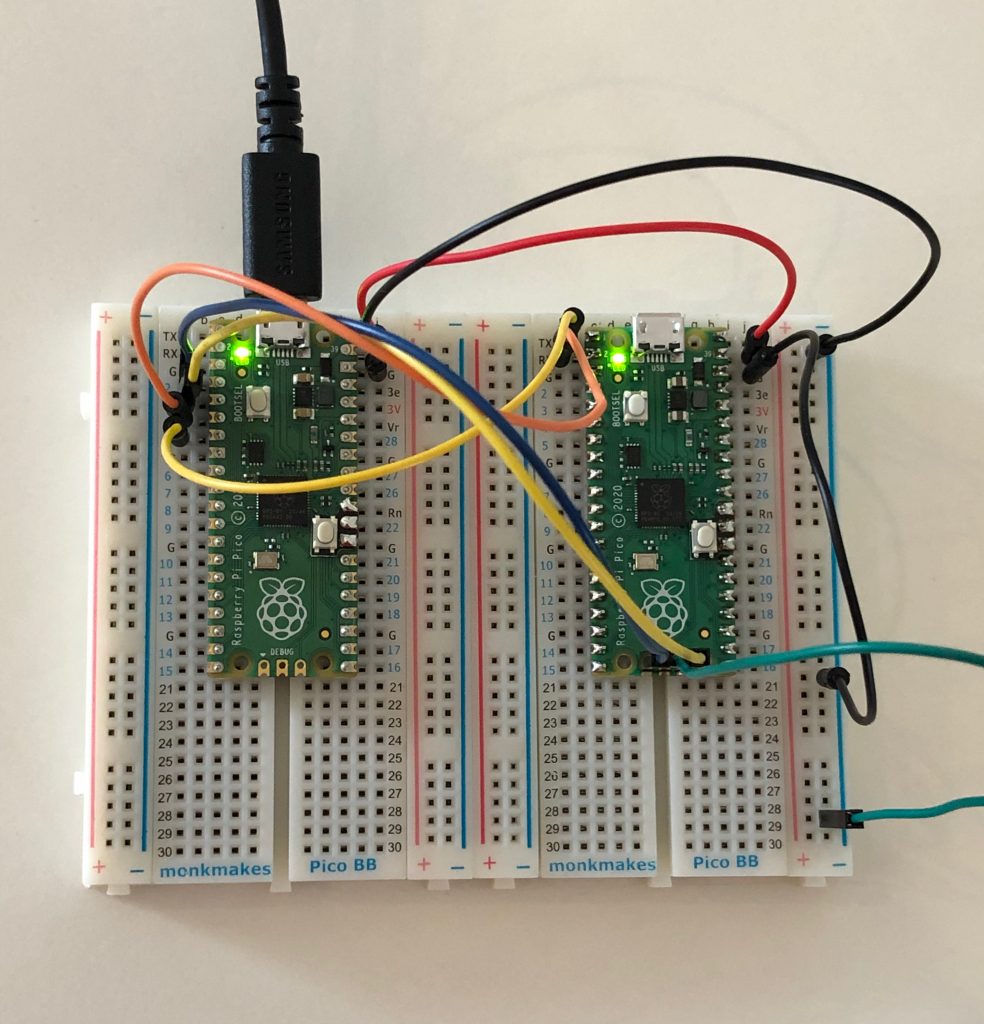
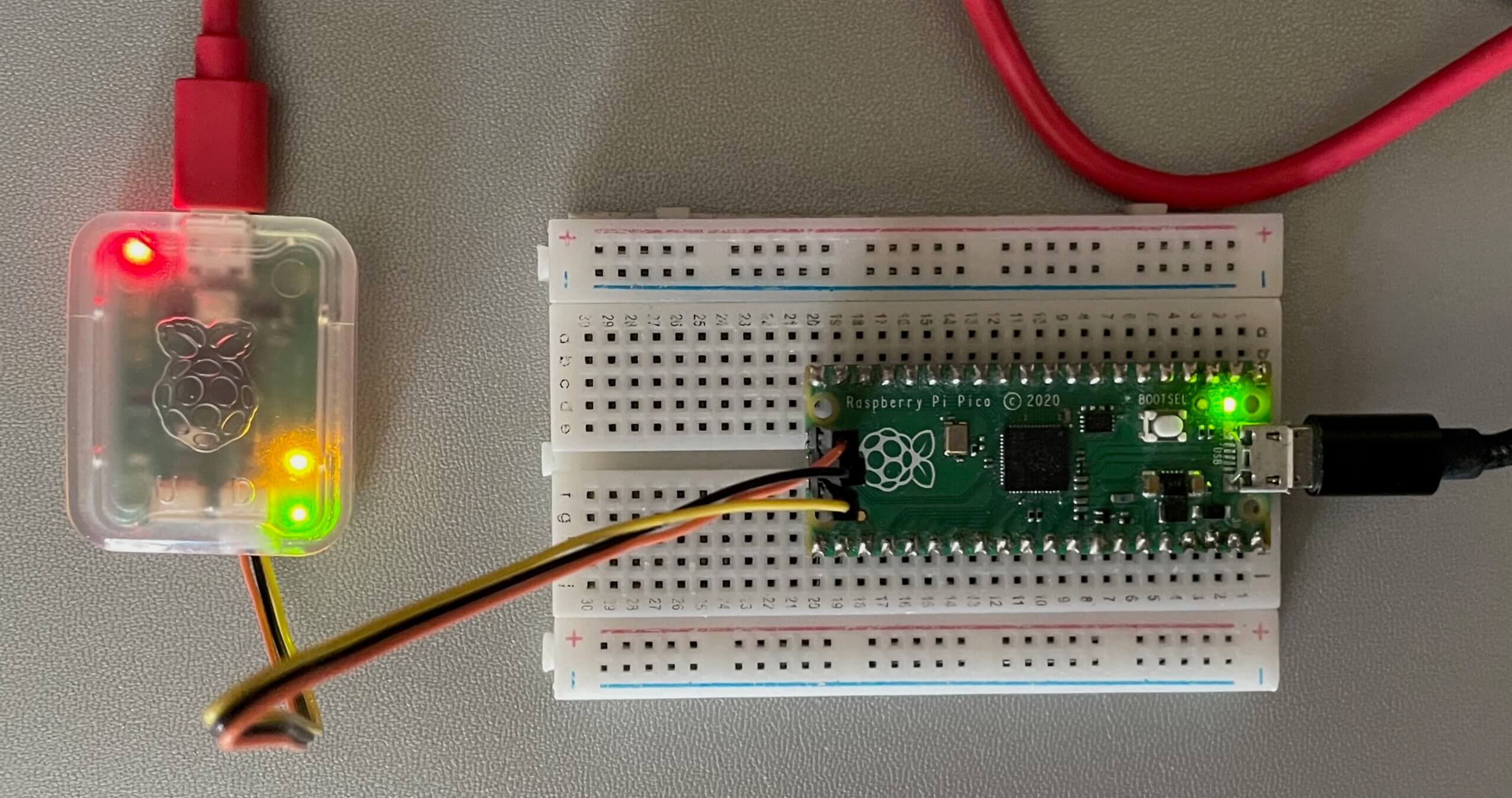
You end up with an ST-Link or J-Link dangling off the side of your desk, a fragile ribbon cable converting down to a 0.1” pitch header, and the constant fear of knocking a jumper wire loose while stepping through a critical hardware interrupt.
like this example :-
alt text
I wanted a true single-cable development experience. Plugging in one USB Type-C cable should simultaneously power the board, mount a serial console, and establish a high-speed Serial Wire Debug (SWD) connection to the primary core.

To achieve this, I decided to build a hardware programmer directly into the PCB using a second microcontroller: the RP2040.

The Raspberry Pi Foundation provides a firmware called “Picoprobe” (now transitioning to “Debugprobe”) that turns an RP2040 into a dedicated USB-to-SWD and USB-to-UART bridge.
check out here :- https://www.raspberrypi.com/documentation/microcontrollers/c_sdk.html

Attachment
0
ego

dual-chip memory architecture:

  1. Primary Flash (U2): A W25Q128JVSIQ (16MB QSPI Flash) to hold the compiled firmware, the Rust-based CAN parsers, and the RTOS.
    alt text

  2. Buffer PSRAM (U3): An APS1604M-3SQR-SN (8MB QSPI PSRAM) to act as a massive, high-speed RAM drive for buffering video frames before they are piped out over Wi-Fi.
    alt text


Both memory chips utilize a Quad Serial Peripheral Interface (QSPI), meaning they require six pins to operate: a clock (SCLK), four bidirectional data lines (SD0-SD3), and a Chip Enable/Select (CE#).

Because QSPI consumes a lot of high-speed routing space, you don’t want to wire two completely separate buses. Instead, I wired them in parallel. I routed the main clock and all four data lines directly from the RP2350 to both the Flash and the PSRAM simultaneously.

and also To prevent this, I split the Chip Select lines.

  • The 16MB Flash is tied to the RP2350’s dedicated QSPI_SS pin.

  • The 8MB PSRAM is routed to GPIO47.

schemtic is atteched see below

Attachment
0
ego

With the physical architecture defined.
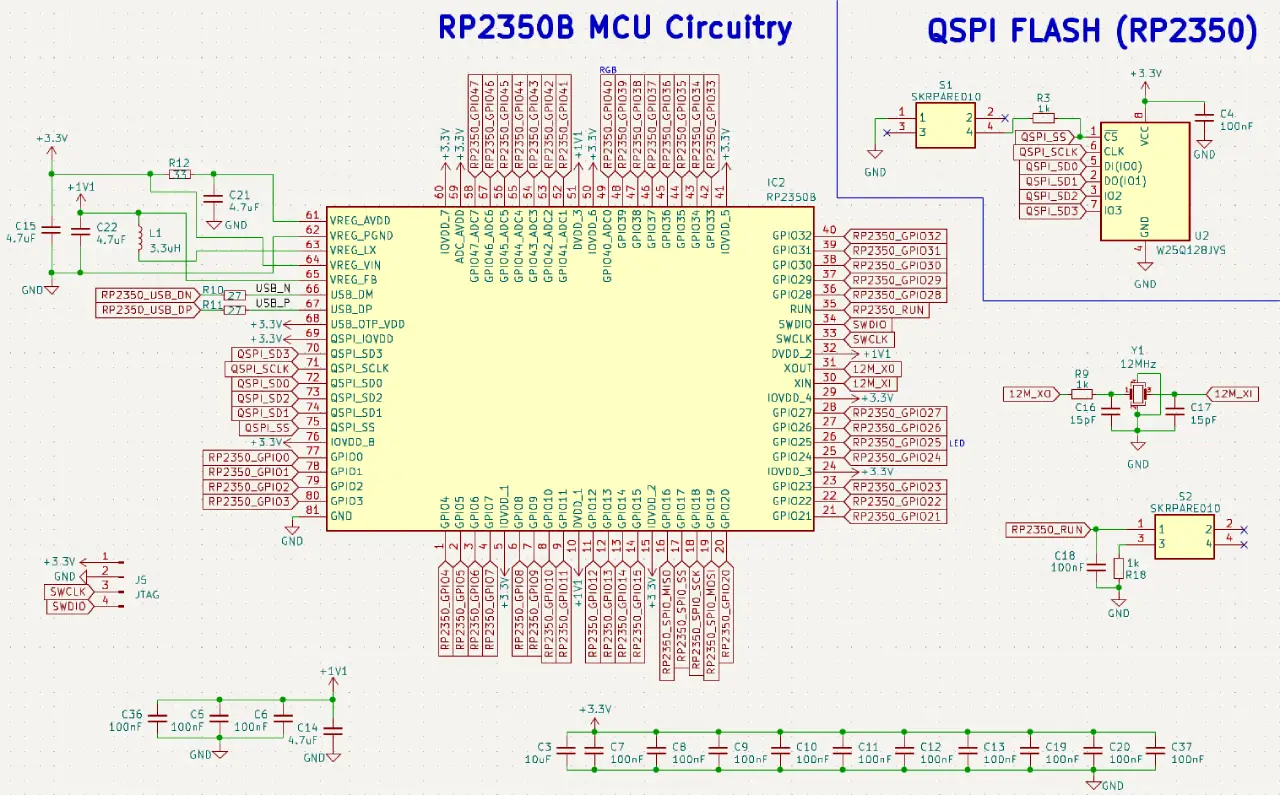
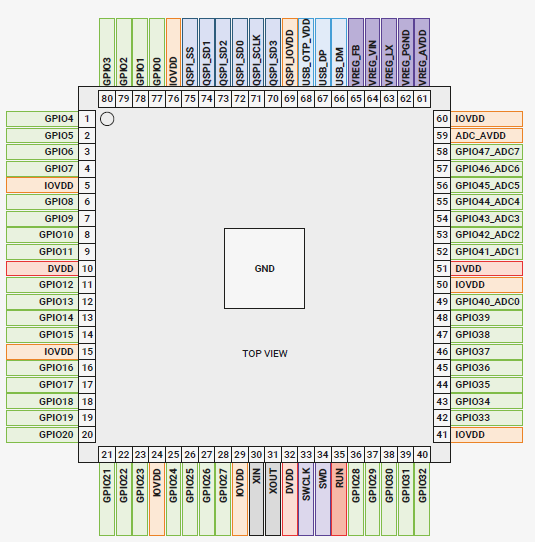
The RP2350 requires two primary voltages: a standard 3.3V supply for its I/O pads (IOVDD), and a tightly regulated 1.1V supply for its internal digital core (DVDD).
3.3v

alt text

1.1v

alt text

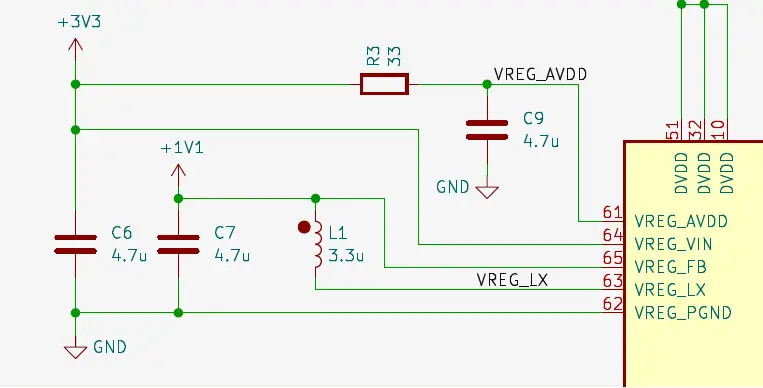
Instead of dropping an external linear regulator (LDO) onto the board to generate the 1.1V—which would waste power as heat—the RP2350 includes a built-in Switched-Mode Power Supply (SMPS). To implement this, I routed the main +3V3 plane into VREG_VIN and placed a specific 2.2µH power inductor (L1) between the VREG_LX switching pin and the VREG_FB feedback pin.

This inductor is critical. It acts as the energy storage tank for the switching regulator, allowing the chip to efficiently step down the voltage without thermal throttling. I then routed the resulting 1.1V output to a dedicated +1V1 net, heavily decoupled it with a bank of 100nF MLCC capacitors, and fed it back into the array of DVDD pins.

also RP2350 is a flashless microcontroller; it relies entirely on external memory to boot and run code. Furthermore, because the Lemon Pi is designed to capture parallel video frames from camera and log high-speed CAN-FD telemetry, the internal 520KB of SRAM would be exhausted in milliseconds.
so for that i added dual-chip memory

Attachment
0
ego

I need an in build debugger on my Lemon Pi, which won’t cost much, only about $2.

This eliminates the need for external debuggers. There’s nothing worse than dealing with a loose jumper wire on the SWD header when trying to fix a hard fault in C++ or Rust.
alt text
I placed a second microcontroller—the RP2040 (in a QFN-56 package)—directly on the board.

This chip acts permanently as a “Picoprobe.” It sits on the clean side of the board, connects to the host PC via USB, and translates those USB signals into Serial Wire Debug (SWD) and UART console commands. It then bit-bangs those debugging signals across the isolation barrier directly into the main RP2350B.

By utilizing a dual-MCU architecture, the Lemon Pi becomes a true plug-and-play development platform. One USB-C cable provides power, a high-speed serial console, and a bare-metal hardware debugger, all while keeping the host machine physically protected from the automotive side of the board.

Attachment
0
ego

For the primary brain, I selected the newly released Raspberry Pi RP2350B.

While I frequently use STM32s (like the G431) and ESP32s for embedded projects, the RP2350Bis really cool mcu because its offered few distinct architectural advantages for the Lemon Pi

  • The ‘B’ variant of the RP2350 has 48 GPIO pins. This was a non-negotiable option. I needed a large, continuous block of pins for the camera’s parallel data bus, leaving enough high-speed pins free for the SPI wireless module and external memory.
    alt text

  • he RP-series PIO state machines are perfect for offloading the heavy lifting of the DVP camera protocol and custom CAN engine timing without locking up the main ARM Cortex-M33 cores.
    alt text

  • this is a my most favorite , The RP2350 introduces advanced hardware security features (ARM TrustZone, OTP, secure boot), which aligns perfectly with the cybersecurity and hardware auditing focus of this platform.

Attachment
0
ego

I’m just starting a new project. I’m looking for a more powerful processor, not just one I can buy. I want something with an open community so I can ask questions if I encounter any obstacles. This helps a lot.
My initial plan is something like this:

  • ARM Cortex-M7 processor, 600 MHz
  • 8MB flash memory with EEPROM emulation
  • 1024K RAM with 512K title-coupled for performance
  • Built-in USB host port and microSD card socket
  • 55 total I/O pins, including 42 breadboard-friendly
  • 3 CAN buses (one CAN supports FD)
  • Cryptographic engine and random number generator

This is just planning, let’s see what kind of reliability we get or not.

0