Cyrus, banner

Cyrus,

33 devlogs
54h 23m 11s

Cyrus is a project allows the use of affordable LoRa radios for long-range, off-grid communication where reliable infrastructure is absent. It is entirely community-driven. it uses the LoRa protocol, which is license-free and widely available in m…

Cyrus is a project allows the use of affordable LoRa radios for long-range, off-grid communication where reliable infrastructure is absent. It is entirely community-driven. it uses the LoRa protocol, which is license-free and widely available in most areas without needing any additional licenses or certifications.unlike HAM radio.

  • Ultra-Low-Power GPS Tracking
  • Long-Range LoRa Communication: Integrated the Ai-Thinker RA-01SH-P (SX1262) module.
  • Continuous Off-Grid Solar Power (6 V solar panel )
  • ESP32_s3 power McU
    for check ot readme file
Demo Repository

Loading README...

ego

the DRV2605LDGSR. I downloaded a public symbol to save time, but the software started throwing errors immediately.
alt text
The pin connections on the screen did not match the physical metal pads on the real chip. If I had trusted that public file and sent the board to the factory, the chip would have shorted out and the board would be dead.
alt text

To fix this, I had to throw the public file away. I pulled up the official datasheet for the chip and rebuilt the entire footprint completely from scratch. I drew every single pad by hand to make sure it was perfect.

Drawing the 30-Pin Screen Connector
Because of that error, I decided I could not trust the public files for our OLED screen either. I sat down and built a custom footprint for the 30-pin FPC connector.
alt text

Drawing this is very stressful. You have to place 30 tiny metal rectangles right next to each other. The gap between them is almost invisible. If you make a pad just a fraction of a millimeter too wide, the melted solder will bridge across the pins during manufacturing, and the screen will not work. I spent a long time checking the official measurements to get the exact spacing right.

Attachment
Attachment
0
ego

In the last few parts, we built our communications array. Cyrus can now talk over the LoRa radio, find satellites, and share files using NFC.

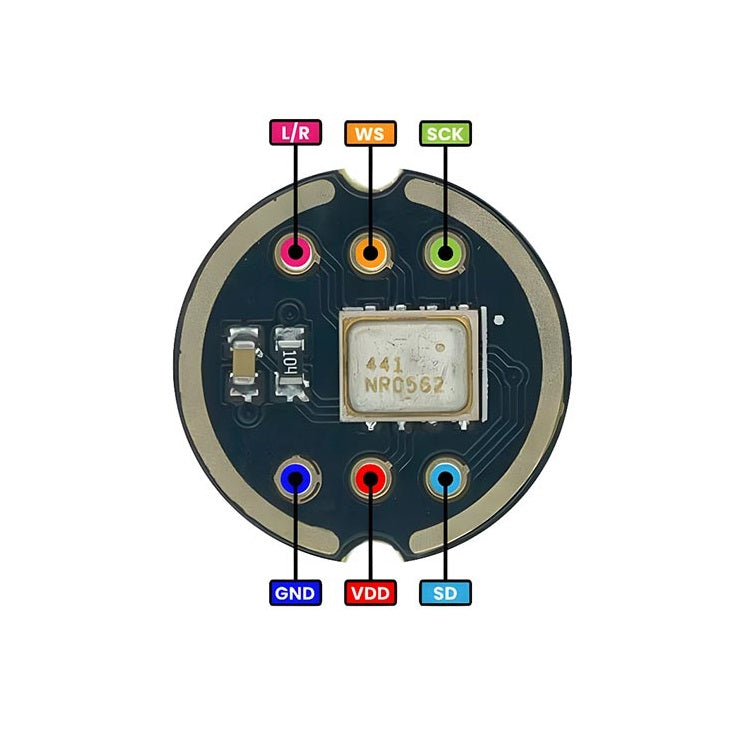
We need to give our pager a way to record voice messages or listen for audio triggers. To do this, I am adding the INMP441 digital microphone
alt text

The INMP441 is much smarter. It is a fully digital microphone. It translates the sound into ones and zeros right inside the microphone itself. This saves a massive amount of space on our board and makes the sound much cleaner because it does not pick up electrical noise from other chips.


Wiring the Sound Wires (I2S)
For this, the ESP32-S3 uses a special connection made just for audio, called I2S.
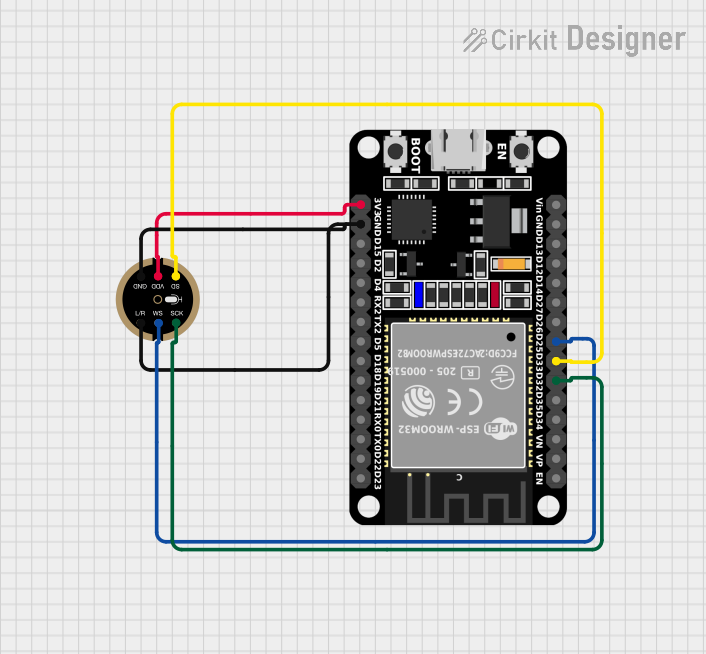
Here is how I am wiring the INMP441 directly to the ESP32-S3:
alt text

  • Power: I am connecting it to our clean 3.3V main power line.

  • SCK (Serial Clock): This keeps the digital sound data perfectly in time so it does not skip.

  • WS (Word Select): This tells the main brain if the sound is meant to be the left channel or the right channel.

  • SD (Serial Data): This is the main wire that carries the actual voice recording into the ESP32-S3.

  • L/R (Left/Right Select): Because we only have one microphone, I am wiring this pin straight to ground. This locks the microphone to the “left” channel, which is all we need to record a clear voice.

Attachment
0
ego

MicroSD Card

We need a massive memory bank to save everything locally.
alt text
We already have the LoRa radio and the NFC chip using our fast SPI wires. You might wonder if adding a third thing will cause a traffic jam.

Thankfully, SPI is designed to be shared. I am connecting the MicroSD card to the exact same clock and data wires as our radios.
alt text
To stop them from talking over each other, I just need to add one unique wire. It is called the Chip Select (CS) wire. I am connecting this from the SD card straight to the ESP32-S3. Now, when the main brain wants to save a file, it pulls this specific wire. The radios ignore the traffic, and the SD card knows it is time to write the data.

MicroSD cards are notorious for draining batteries

To solve this problem, the SD card isn’t connected directly to the main 3.3V power line. Instead, it receives power entirely from one of the dedicated RT9080 power switches I previously installed in the power architecture.

Attachment
0
ego

Originally, my plan was to use a massive 50-pin LCD screen. But as I looked at the power numbers, I changed my mind.

An LCD screen needs a bright backlight running all the time, which eats a lot of battery. A 50-pin connection also takes up way too much space on our small board.

Instead, I am using a 30-pin FPC connector to drive an OLED display.

OLED is perfect for an off-grid device. It does not have a backlight. Every single dot (pixel) on the screen makes its own light. If the background of our menu is black, those black pixels are completely turned off and use absolutely zero power. This will save our battery tremendously.

Attachment
0
ego

I finally added the u-blox Mia-U10.

Originally, my plan was to use a very tiny GPS chip called a SiP (System-in-Package). A SiP is basically an entire circuit stuffed into one microscopic block. It is great for saving space, but it has a huge problem: the connection pads are hidden completely underneath the chip and are incredibly close together.
as you see in img
alt text
alt text

To save my sanity during the soldering phase, I changed my mind. I am now using the MAX-M10S-00B.
alt text
This chip still uses the same amazing, low-power U-blox brain to find satellites, but it comes in a slightly larger package with visible metal pads on the outside edges. It is much easier to solder to the board by hand without making mistakes.


Wiring the MAX-M10S-00B

  • Just like our LoRa radio, the GPS uses a lot of battery. So, I am wiring its main power line to one of our RT9080 smart switches

  • the GPS uses a simple two-wire connection called UART. There is a TX wire (Transmit) and an RX wire (Receive). When the GPS is on, it constantly sends plain text updates down these wires, telling the ESP32-S3 its exact coordinates.

Attachment
0
ego

Today, i am wiring up our main long-range communications module, the E22-900M22S.

alt text
This specific LoRa module is incredible. It is designed to send small packets of data (like text messages or GPS coordinates) over very long distances—sometimes miles—even if there are trees or buildings in the way. It does this while using a surprisingly small amount of battery.


Wiring the Data line (SPI)

  • To make the radio work, the ESP32-S3 needs a very fast way to send data to it. We are using a connection called SPI.

I am drawing four specific wires between the ESP32-S3 and the E22-900M22S:

  • SCK (Clock): This wire acts like a metronome. It keeps the ESP32-S3 and the radio perfectly in sync so they do not scramble the data.
  • MOSI (Master Out): This is the wire where the ESP32-S3 sends the actual text message out to the radio.

  • MISO (Master In): This is the wire where the radio sends information back to the main brain, like confirming a message was sent.

  • CS (Chip Select): This is the “attention” wire. The ESP32-S3 uses this wire to tell the radio be like , “I am talking to you MF , listen closely.”


Sending messages is easy, but receiving messages is tricky.

When a new message arrives from the sky, the ESP32-S3 might be doing something else, or it might be completely asleep to save battery. The ESP32-S3 cannot stare at the radio all day waiting for a message.

To fix this, the E22-900M22S has special pins called DIO pins. I am wiring one of these DIO pins directly to a native pin on the ESP32-S3.

Attachment
0
ego

Because Cyrus is an off-grid device,
we are going to turn off the main ESP32-S3 chip as often as possible to save battery.
But when the ESP32-S3 goes to sleep, it loses track of exact time. When it wakes up, it won’t know if five minutes have passed or five hours.
alt text
To fix this, we are adding a dedicated clock that never sleeps: the PCF85063 Real-Time Clock (RTC).
alt text


I am wiring the power pin of the PCF85063 directly to that solar harvester output. This means the clock will run 24/7 on tiny amounts of harvested sunlight, completely bypassing our main battery reserves(it will use at night ).


Wiring the RTC

  • The Crystal: A clock chip needs a heartbeat to tick. I am wiring a small 32.768 kHz crystal oscillator to the PCF85063.

  • Load Capacitors: The crystal cannot work alone. It needs two very small ceramic capacitors connected to the ground.

  • The I2C Bus: Just like our other smart chips, the PCF85063 connects to the exact same I2C bus (the SDA and SCL wires). The ESP32-S3 uses this bus to set the current time.

Attachment
0
ego

I solve one problem and another one is coming but it is good, I have a solution for it.

we added smart switches (the RT9080 LDOs) to turn our heavy power users on and off. But this created a new problem.

Our main brain, the ESP32-S3, needs to control those switches. It also needs to talk to the screen, read the buttons, play audio, and manage the radios. The ESP32-S3 is powerful, but it simply does not have enough physical pins for all of this. We have run out of connections.

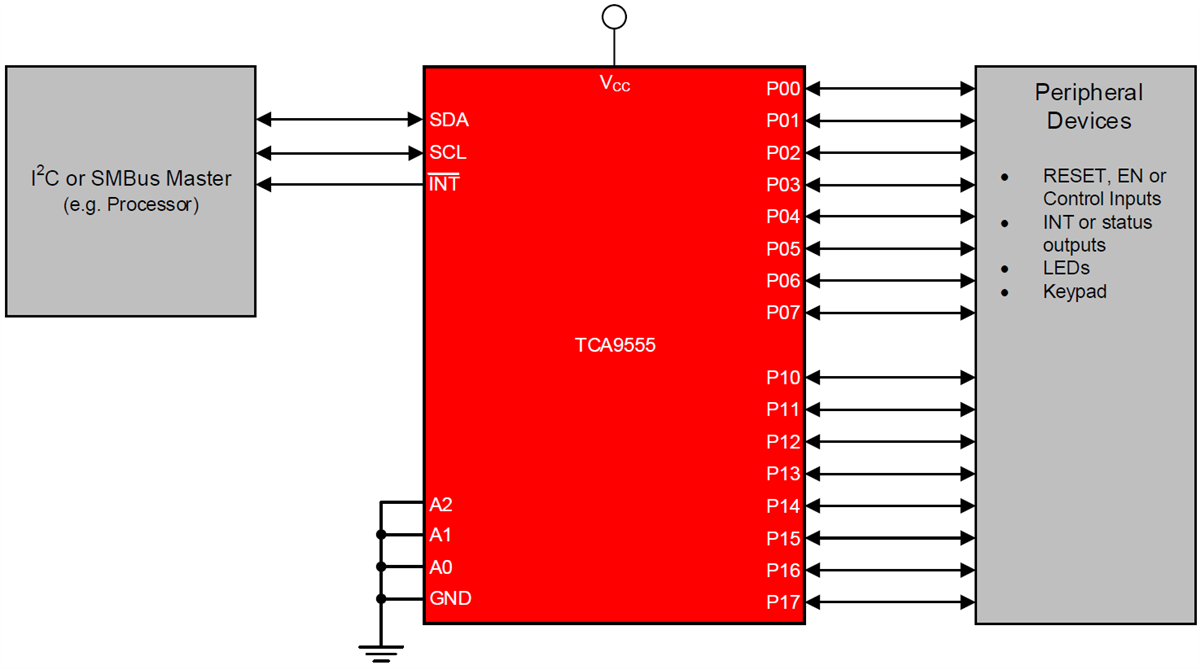
The XL9555 is an I/O Expander(cheap copy of TCA9555);-
alt text
It uses our main I2C bus. This means it only takes up two pins on the ESP32-S3 (the SDA and SCL wires). In exchange for those two pins, the XL9555 gives us 16 brand new, fully working pins that we can control.


Adding this to our schematic is very clean and simple:

  • Power: I am connecting the XL9555 to our rock-solid 3.3V main power line that we built back in Part 4.

  • The I2C Connection: I am routing the SDA and SCL pins to the exact same I2C bus that our battery charger uses. The ESP32-S3 will use this single bus to talk to almost every smart chip on the board.

  • The New Pins (The Outputs): Here is where the magic happens. Remember the “Enable” pins on the RT9080 LDOs from our last devlog? I am wiring those straight into the XL9555.

Attachment
0
ego

Here is how I am building this in LDO sys

  • One LDO per Module: I am not sharing power. I put one RT9080 right next to the E22-900M22S LoRa module. I put another RT9080 next to the U-blox MIA-M10 GPS module. I put a third one next to the SD Card slot.

  • Connecting the Enable Pin: I am wiring the Enable pin of each RT9080 so our main system can control it or turn it on and off.
    alt text


How it Works
When the ESP32-S3 needs to send a message, it turns on the LDO for the E22-900M22S. The LoRa module wakes up, does its job, and goes back to sleep. Then, the ESP32-S3 turns the LDO completely off.

When the LDO is off, the E22-900M22S uses zero battery.
alt text
This method is called power gating. It is the best way to make sure our battery lasts as long as possible out in the field.

Attachment
Attachment
0
ego

We now have a massive, highly efficient 3.3V pipeline ready to power the heavy lifters of the system.
But we have a new problem: our LoRa, GPS, and SD card modules are power-hungry, and we don’t want them drinking from the 3.3V main rail when they aren’t actively being used.
alt text
deploy strict power gating. I will show you how I am using dedicated RT9080 LDOs to create isolated, individually switchable power lines for our RF subsystems, ensuring they draw zero power until the ESP32-S3 explicitly calls upon them.
alt text
The E22-900M22S is a powerful radio. When it sends a message, it pulls a lot of energy. If we leave it and the other modules on all the time, our battery will drain very fast. Because this device lives off the grid, we need a way to completely turn them off when we are not using them.

Some parts of our board use a lot of power. This includes our main radio, the E22-900M22S LoRa module, the GPS module (U-blox MIA-M10), and the SD Card.

to fix this We are using the RT9080 as a smart switch. It takes power from our main battery line and passes it safely to our modules. But the most important part is the “Enable” pin.

Attachment
0
ego

We now have dual power inputs: USB fast-charging and solar micro-harvesting. But the ESP32-S3 and the rest of our logic chips run strictly on 3.3V, and they need a lot more current than the harvester’s nano-buck can provide.

now i am going to build the main power sys. I will walk through the schematic for the SY8089 buck converter and show how I’m setting up the central 3.3V supply that will drive the heavy-lifting core of Project Cyrus.
alt text
our main power line (VSYS) is floating anywhere between 3.0V (a nearly dead battery) up to around 5V (USB power). The ESP32-S3 and the vast majority of our logic chips run strictly on 3.3V. If we feed them VSYS directly, they will fry.

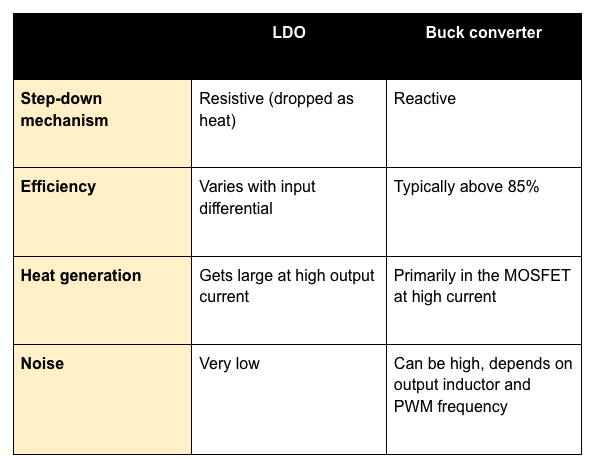
we have two options here buck converter and LDO (Low dropout regulators ).
alt text
A lot of simple dev boards use Low-Dropout Regulators (LDOs) to step 5V down to 3.3V. But LDOs bleed off the excess voltage as pure heat. If the ESP32-S3 pulls 500mA during a Wi-Fi transmission, an LDO would act like a tiny space heater.

heat is the enemy of efficiency and battery life.

The SY8089 is a high-efficiency, synchronous step-down switching regulator. Instead of burning off the excess voltage, it rapidly switches on and off, using an inductor to store and release energy. This means we get our 3.3V rail with over 90% efficiency, keeping the board cool and squeezing every last drop of current out of the battery.

0
ego

Solar Harvesting


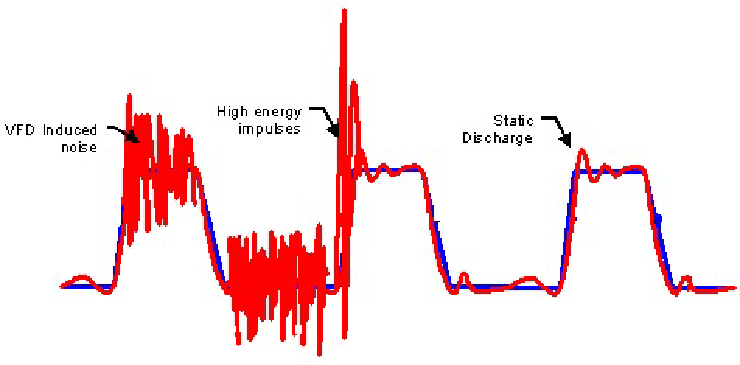
Standard chargers are terrible at handling small solar panels. If a cloud passes over, the voltage drops, the charger pulls too much current, the panel collapses to zero volts, and charging stops completely. (reference example )
alt text

The BQ25570 solves this with built-in Maximum Power Point Tracking (MPPT). It actively monitors the solar panel and dynamically adjusts how much current it pulls to keep the panel operating at its absolute peak efficiency, even in low light. Plus, it has an ultra-low quiescent current, meaning the IC itself consumes almost zero power while it works, a sudden voltage drop that shuts off the system mid-transmission is catastrophic nightmare.

The “RGRR” variant of the BQ25570 has a massive trick up its sleeve: an integrated nano-power buck converter.
Instead of just charging the battery, it can simultaneously step that battery voltage down to a highly efficient, regulated output. I am configuring this internal buck to output a steady voltage specifically to keep our always-on components alive—like the PCF85063 RTC—ensuring they draw practically nothing from the main battery reserves when the rest of the system is asleep.


Wiring the BQ27220:-

  • BQ27220 relies on a precision sense resistor placed in series with the battery pack. I am wiring the IC’s sense pins directly across a low-ohmic shunt resistor.
Attachment
0
ego

I2C Control for Smart Charging


One of the main reasons I selected the BQ25896 is its I2C interface. I am routing its SDA and SCL lines straight to the primary I2C bus.
alt text
This is a massive advantage. It means the ESP32-S3 isn’t just relying on hardware defaults; it can actively talk to the charger. We can dynamically adjust the input current limit, change the fast-charge current on the fly, or read fault registers if something goes wrong.


Even though we are just in the schematic phase, you have to think about the physical PCB. The BQ25896 is going to handle a fair amount of current, which means heat. I am making specific notes on the schematic to remind myself to drop a solid array of thermal vias directly under the IC’s exposed pad when we move to the 4-layer layout later.


We have power entering the system and a battery charging safely. But an off-grid terminal is useless if it suddenly dies without warning.

Attachment
0
ego

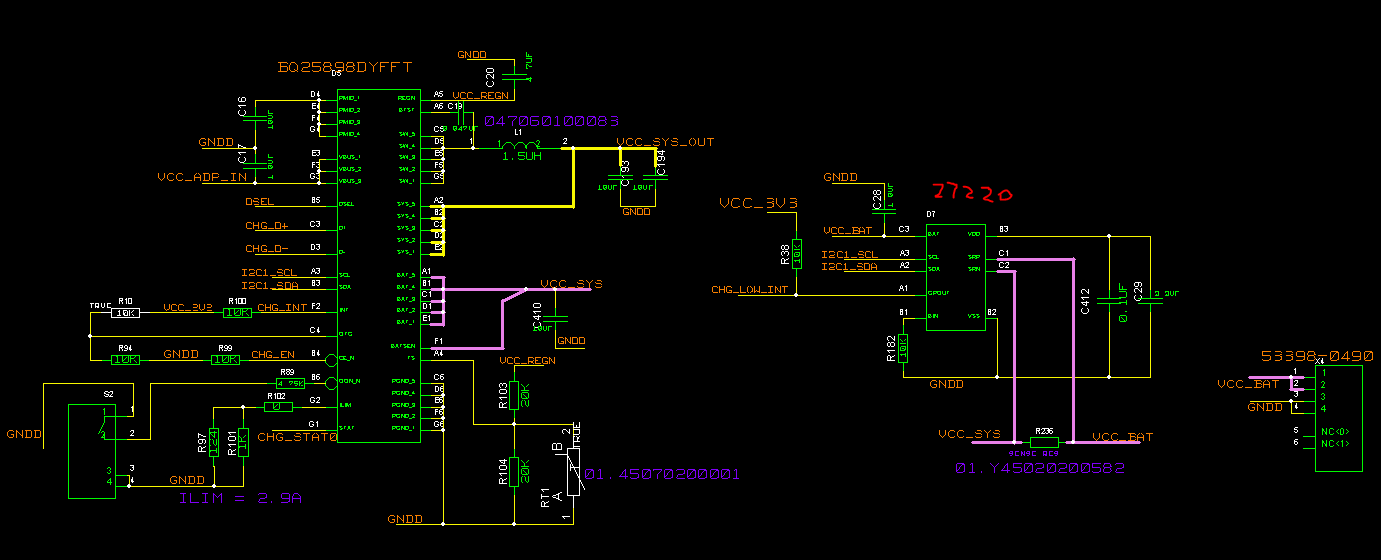
I chose the BQ25896 because it is a highly integrated switch-mode battery charge management IC. It doesn’t just blindly dump current into a lithium cell; it actively manages the power path. This means it dynamically routes power between the USB input, the battery, and the rest of the system. (this is example from same series)
alt text

I am pulling power in through a standard USB-C receptacle. The first schematic step is handling the CC1 and CC2 pins with 5.1kΩ pull-down resistors. This is mandatory to ensure upstream power sources actually recognize Cyrus as a sink device and provide that 5V VBUS.

Once VBUS is established, it routes directly into the star of this subsystem: the BQ25896.


Here is how I am configuring the BQ25896

  • VBUS Input: Tied directly to the USB-C 5V line with decoupling capacitors
  • Battery Terminals (BAT): Routed to our battery connector. I am also wiring in the required NTC thermistor line so the charger can monitor battery temperature and cut off if things get dangerously hot in an off-grid environment.
Attachment
0
ego

The Master Bill of Materials (BOM)


Before wiring a single pin, I’ve spent hours agonizing over this component selection to balance power efficiency with performance.

Here is the exact silicon that will power Project Cyrus:

Power Management & Regulation

  • BQ25896 (Charger): Manages the 5V USB-C input and the primary system voltage (VSYS).
    alt text

  • BQ27220 (Fuel Gauge): Provides precise, real-time battery health and capacity analytics.
    alt text

  • SY8089 (Buck Converter): Steps down VSYS to create our stable, central 3.3V main rail.
    alt text

  • RT9080 (LDOs): Dedicated low-dropout regulators to provide isolated, strictly power-gated lines to our RF and data subsystems.

Core Compute & Expansion

  • ESP32-S3: The main microcontroller.

  • XL9555 (I2C IO Expander): Offloads enable pins and secondary controls to free up the ESP32-S3’s native GPIOs.

  • PCF85063 (RTC): Dedicated real-time clock to ensure accurate timekeeping and wake triggers while the main processor is in deep sleep.

RF & Communications

  • HPB1683 (LoRa): The off-grid backbone, interfacing via SPI for long-range data.

  • U-blox MIA-M10 (GPS): Ultra-low-power location tracking module via UART.
    alt text

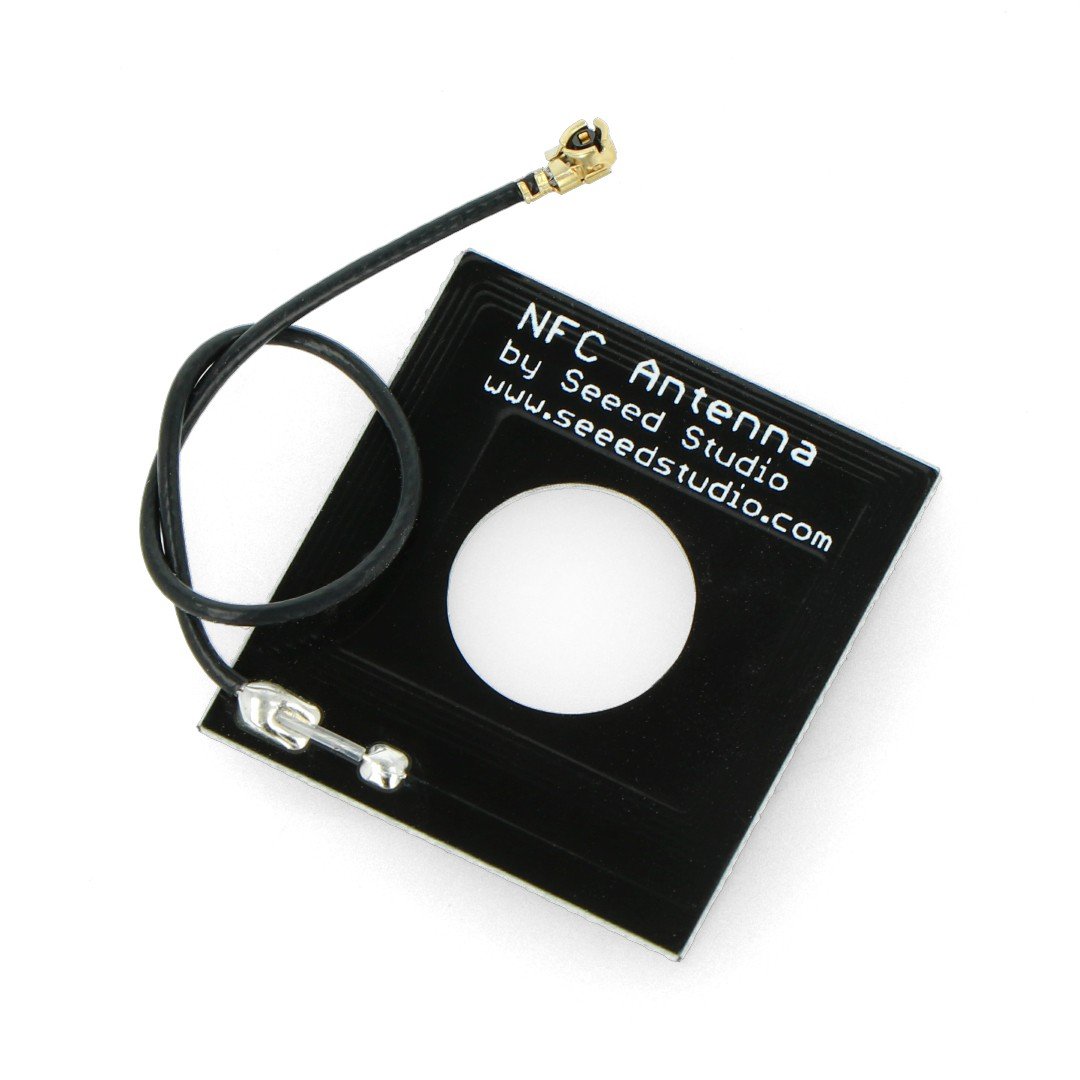
  • ST25R3916 (NFC/RFID): Handles near-field data exchange and secure, close-range handshakes.

Attachment
0
ego

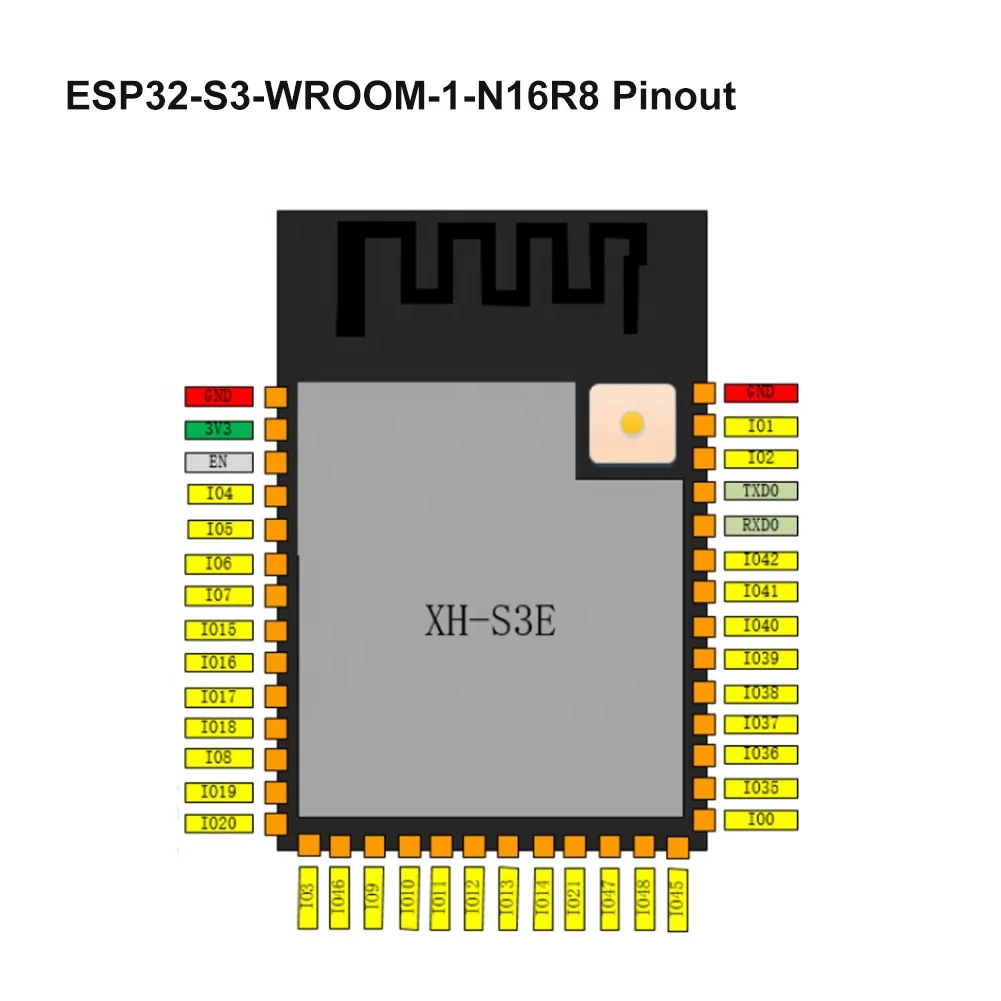
center of this build is the ESP32-S3


I needed a microcontroller with enough raw dual-core processing power to handle audio pipelines and RF encryption, but the real deciding factor was the routing flexibility. Between the SPI bus for the LoRa module, UART for the GPS, I2C for the sensors, and I2S for the audio codec, the ESP32-S3 allows me to matrix these interfaces exactly how I need them for a tight layout.


However, even the S3 has its limits.
Because we are relying on internal memory to save layout space, and with the sheer number of peripherals we are driving, we completely run out of native GPIOs. We’ll be solving that with a dedicated expansion layer later on.

I am keeping the workspace clean. I pull my few symbols and footprints strictly from SnapEDA (https://www.snapeda.com/parts/CN3791/Consonance/datasheet/) to ensure professional-grade accuracy, and I completely avoid pulling from SamacSys or Ultra Librarian. The goal is to maintain absolute control over the pad sizes and 3D models before we even think about routing the bottom-mounted SMA connectors.

Attachment
0
ego

my goal here is to build an off-grid communication terminal that doesn’t rely on traditional cellular networks, can survive completely off the grid, and packs a massive amount of functionality into a very tight form factor.

When I first sat down to map out Cyrus,
I knew exactly what it needed to do, but dont know figuring out how to fit it all together was the real challenge.
An off-grid communicator is useless if it dies in a few hours or can’t handle multiple data streams at once.


Here is what the architecture needs to support-

  • Long-Range Comms
  • geo location
  • Energy Independenc
  • Environmental sensing
  • main MCU The ESP32-S3
Attachment
0
ego

Shipped this project!

Hours: 23.03
Cookies: 🍪 584
Multiplier: 25.35 cookies/hr

I finally finished the hardware design for Cyrus Solar-powered LoRa communication and GPS tracking node built around the ESP32-S3.

  • I just sent the final gerbers to the fab house(PCB power) for the quotations. I’ll post a full hardware demo as soon as the assembled PCBs arrive!
  • Expect a full outdoor demo coming the second they arrive!

The biggest challenge was definitely the high-frequency RF layout—trying to maintain a perfect 50-ohm impedance.
Also, not all the devlogs are visible during my ship, not sure why, so check out the project page for all the devlogs.

ego

finally my PCB is complete

I thought I had things handled well with my 4-layer stackup, but today I found out that routing 900 MHz (LoRa) and 1.5 GHz (GPS) signals is actually dark magic, I mean I spent an hour figuring it out, but it was worth it in the end..`
alt text
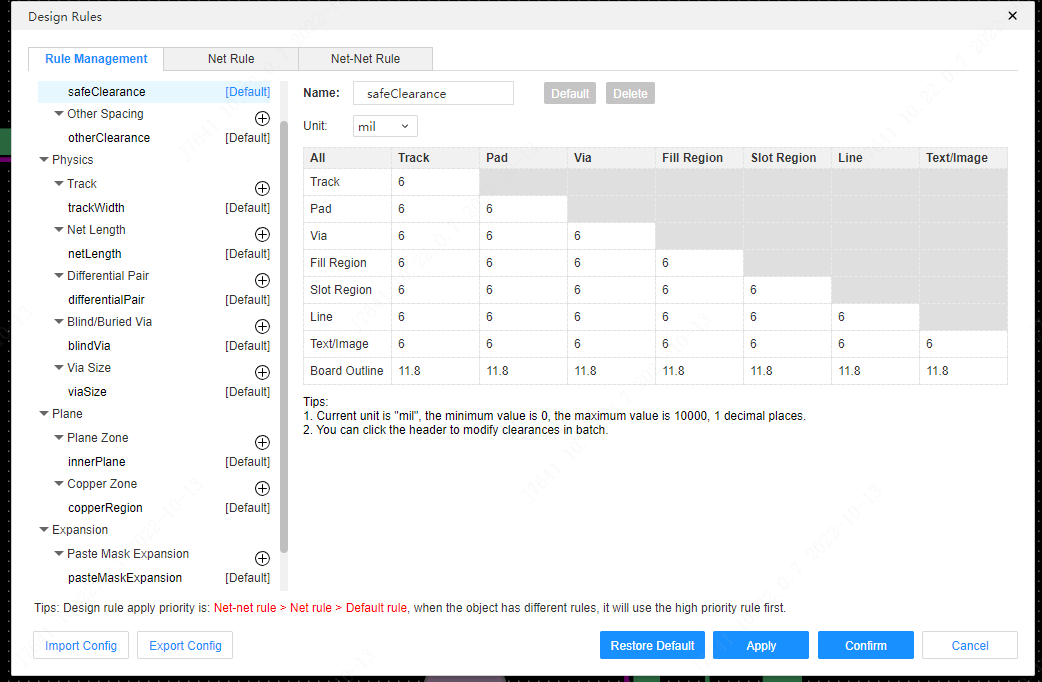
i learn how to create perfect clearances around my RF traces
alt text
(forming what I learned is called a “Coplanar Waveguide” to stop the signal from leaking sideways)

alt text
I was worried about how the RF signals would behave, but I pulled off a great trick: Edge-Launch SMA connectors. By placing the chips on the bottom and soldering the SMA center pins directly to the bottom layer

alt text
The final fix for this session was addressing the bottom layer itself. Looking at my layout, the area around the GPS chip and the U.FL connector was just empty black space. Furthermore, the massive mechanical ground pads for my edge-launch SMA connectors were only attached to the rest of the board by tiny, thin traces. If I screwed an antenna onto that, the connector would probably snap right off.
but at the end every thing is great.

Attachment
Attachment
0
ego

I grouped the board into three strict physical zones to keep the noisy stuff far away from the quiet stuff.

  • Zone 1: for the CN3791 solar MPPT charger and the battery connectors.

  • the MAX-M10S (GPS) and the RA-01SH-P (LoRa) onto opposite edges of the board, pointing their antenna outputs outward.

  • Zone 3: 3.3V LDO regulator to act as the bridge between power and communication.


I distributed the clean 3.3V out to the microcontroller, the LoRa module, and the Source pin of my GPS MOSFET switch. I made sure to keep the LoRa power trace relatively wide—when that SX1262 chip transmits.

I put the RA-01SH-P on the bottom layer to optimize the RF path.
The GPS was much easier. It’s just a simple UART connection (TX to RX, RX to TX)

Attachment
0
ego

I’m finally starting to design my PCB.


I was initially considering building it on a two-layer PCB,
but I’m skipping the two-layer hassle and going straight to a four-layer stack:-

  • layer 1- signal
  • layer 2 which is a inner one so it going to be Ground
  • layer 3 power
  • layer 4 is going to be signal) again .
    The MAX-M10S and SX1262 LoRa chips require a solid, unbroken ground plane beneath their RF traces to maintain a strict 50-ohm impedance.

Trying to stitch together a ground plane on a 2-layer board while avoiding the noise from the solar charger just sounds like a recipe for terrible signal integrity. 4-layer is the way to go.

Attachment
Attachment
0
ego

For the radio, I’m using the RA-01SH-P (which rocks the SX1262 chip).

  • I initially thought about power-gating this module with a MOSFET just like the GPS, but realized that’s a bad idea.

It risks back-powering the chip through the SPI data lines from the microcontroller. Plus, the SX1262 has a deep sleep mode that draws less than 1µA anyway.

  • So, I am wiring it directly to the always-on 3.3V rail. It just needs the standard SPI bus, the critical control pins (CS, RESET, BUSY), and the DIO1 interrupt pin to wake the system up when a transmission finishes or a new packet arrives.
Attachment
0
ego

GPS Subsystem module (MAX-M10S)

The GPS wiring is finally complete.

  • I routed a second SI2301 MOSFET (Q2) as a high-side load switch. Now, my microcontroller can physically cut the 3.3V power to the MAX-M10S when it isn’t tracking.yaaaaaaay

  • I had a funny slip-up where I accidentally placed a thermistor as the gate pull-up resistor for Q2, but caught it and swapped it for a standard 10kΩ.gabonparrot


I completely forgot that the MPPT (in CN3791 IC )pin is completely floating! Since I’m using a 6V solar panel.

I calculated and added a voltage divider (a 402kΩ top resistor and a 100kΩ bottom resistor) to set the MPPT point to ~6V. This will ensure the charger reduces the voltage without draining maximum efficiency from the panel.

(Note to self: I still need to drop an ultra-low quiescent current 3.3V LDO regulator onto the board to safely step the 3.0V–4.2V LiPo voltage down for the logic chips).

Attachment
0
ego

By isolating the solar charging into its own dedicated MPPT chip which is our CN3791, I ensure that even if the panel is partially shaded, it will dynamically adjust to pull the maximum possible wattage into the battery.

  • The LiPo battery connects to the output of both the MCP73871 and the CN3791.

  • I need to add a Schottky diode to the solar panel input so power doesn’t flow backward into the panel at night. JUST like i added in img

  • The XC6220 LDO still sits between the battery and the ESP32-S3, providing a rock-solid 3.3V

just finish the wiring up and calculate the exact resistor values for the CN3791 to set the Maximum Power Point (MPP) for a standard 6V solar panel, and set the charge current to something safe, like 500mA.

Attachment
2

Comments

soosoh
soosoh 22 days ago

so cool

ego
ego 22 days ago

thanks bro

ego

I’m keeping the MCP73871 for USB-C charging (because I still want to be able to plug it into my laptop to test), but I am adding the CN3791 chip specifically for a 6V solar panel.
The tricky part is making sure the USB charger and the Solar charger don’t fight each other when both are connected.
next step for this -

  • Integrating the CN3791 MPPT Solar Charger.

  • Blending solar input with your existing USB-C (MCP73871) charger.

  • Ensuring the XC6220 LDO is optimized for the absolute lowest quiescent current (the electrical current consumed by an integrated circuit (IC) or device when it is powered on and enabled but not actively driving a load or switching)

Attachment
0
ego

The routing is finally done. Connecting the ESP32-S3 pins to the OLED and the buttons was satisfying, but managing the power traces took some patience. I made sure the 5V line from the USB-C to the MCP73871 is nice and thick to handle a full 1-amp charge rate without breaking a sweat.

Attachment
0
ego

I started by placing the ESP32-S3 and the USB-C port. I decided to put the RA-01SH module on the opposite edge of the board from the BME280.

I don’t want the heat from the LoRa transmissions or the ESP32’s Wi-Fi messing with my temperature readings.
I’m paying extra attention to the SMA connector.

alt text
I’m using a coplanar waveguide calculation to make sure my antenna trace is exactly 50 ohms. If I get this wrong, my Long Range device won’t be very Long Range.

Routing the USB-C connector. Those pins are tiny and very close together. I have to make sure my Differential Pairs (the data lines) are the same length so the computer can actually talk to the ESP32 without errors

Attachment
0
ego

I finally started routing my PCB, for a board with high-frequency LoRa signals, a sensitive BME280 sensor, and an ESP32-S3, component placement is everything.

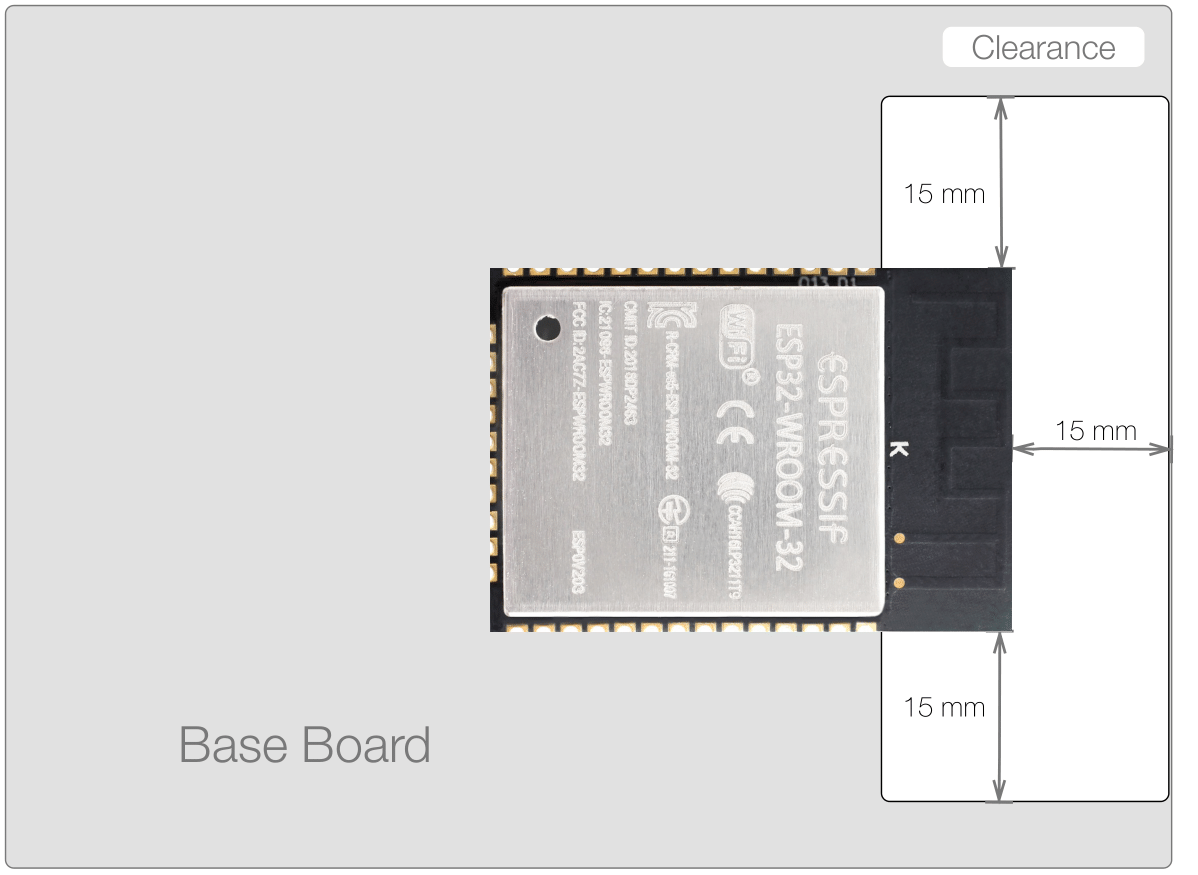
for the esp32 smd module It is suggested to place the module’s on-board PCB antenna outside the base board, and the feed point of the antenna close to the edge of the base board.

alt text|200

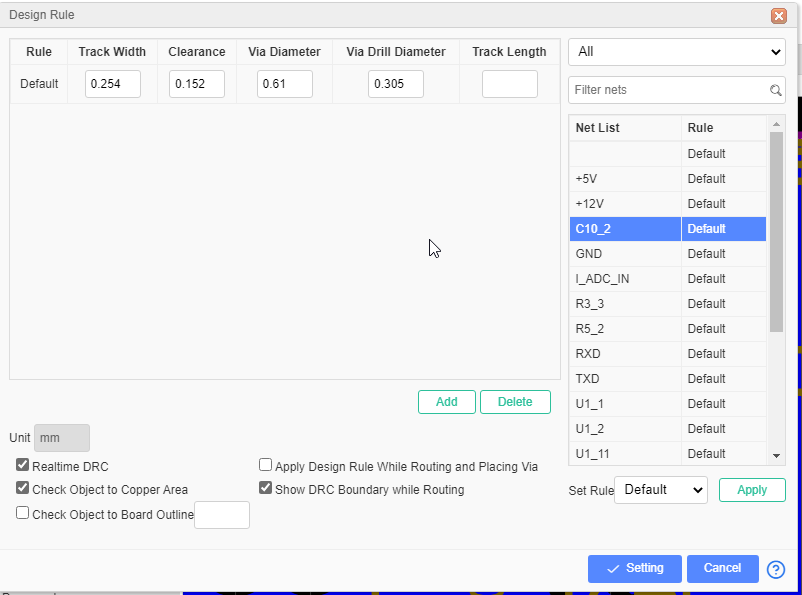
The trace going from the RA-01SH to the SMA Connector must be a specific width. If it’s too thin or too wide, the radio signal will “bounce back” and you’ll lose range. for the 50-Ohm Path trace width is going to be .3mm

Attachment
0
ego

I’ve finally finished the full schematic. The last few hours were spent double-checking the RA-01SH-P LoRa module
alt text
pins and the SMA antenna path.
alt text
I’ve ensured that the SPI lines are short and direct to avoid signal interference.

I also mapped out the BME280 on the I2C bus.
alt text

Since it’s a 3.3V sensor, it sits perfectly on the same power rail as the ESP32-S3. I’ve included the necessary pull-up resistors for the I2C lines to ensure the communication is stable.

Attachment
0
ego

I’ve wired the XC6220 LDO(1A low-dropout) to take the output from the charger. I chose this specific LDO because it can handle up to 1A of current—more than enough for the ESP32-S3 even when the Wi-Fi and LoRa are both screaming at full power.

The XC6220 is a Low Dropout (LDO) regulator. Its job is simple: take the messy voltage from the charger and “shave it down” to a perfectly smooth 3.3V.
alt text

If I were to build this on a breadboard right now, plugging in the USB would give me a solid 3.3V rail, and the ESP32 would boot up and stay stable.

Attachment
0
ego

i almost finished MCP73871 implementation with usb Type C

Since I’m using a standard 10k NTC ( thermistor to monitor battery temperature, enabling safe charging by suspending operations if the temperature falls outside the set range),
I have to make sure the voltage divider circuit on that pin matches the datasheet, or the chip will think the battery is “too cold” and won’t charge at all.

Attachment
0
ego

I’m focusing on the MCP73871 implementation because i need fast charging ans t’s a bit more complex than a standard charger because it handles the Power Path.

I’ve decided to wire it so that the device always prioritizes USB power. I’m using a 1k resistor on PROG1, which means I’m aiming for a fast charge. I need to make sure my LiPo battery can handle that (usually a 1000mAh battery or larger is best for this setting).

you see schematic outline in img

Attachment
0
ego

I am very confused between these two IC

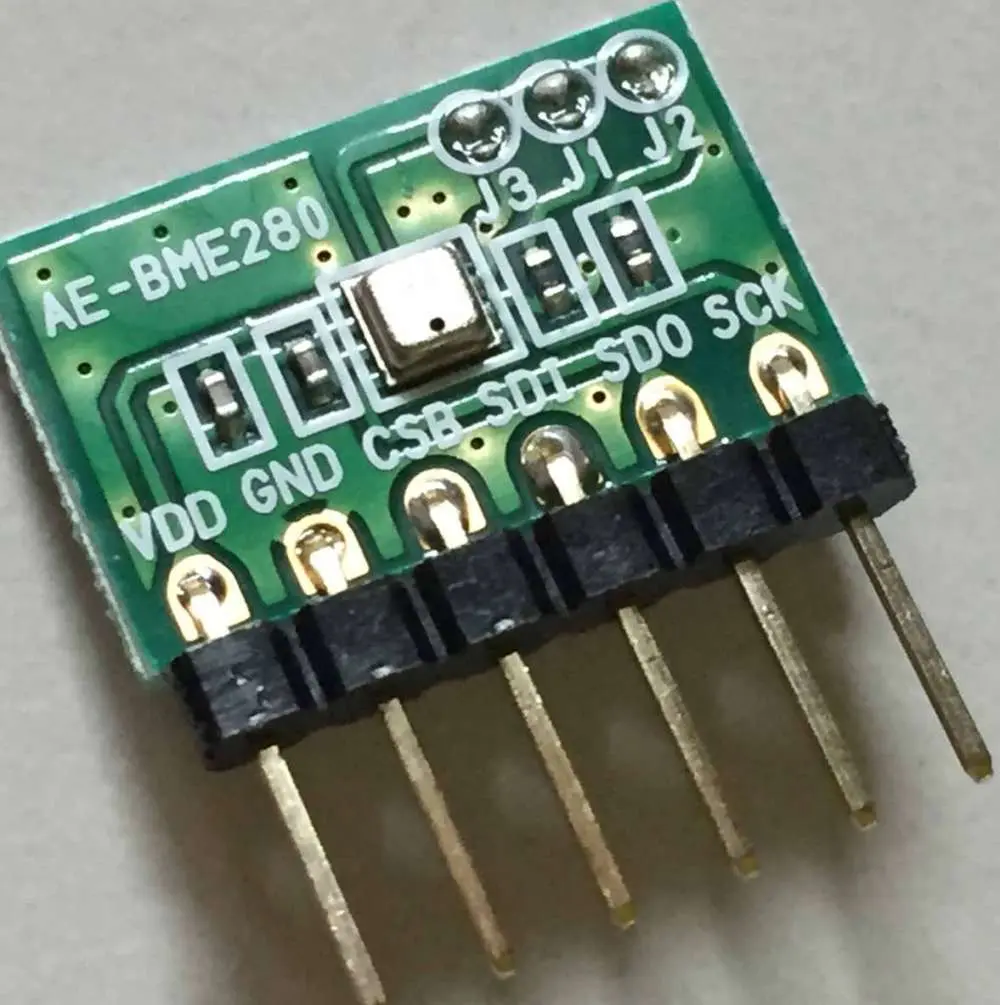
  1. BME280 alt text

vs
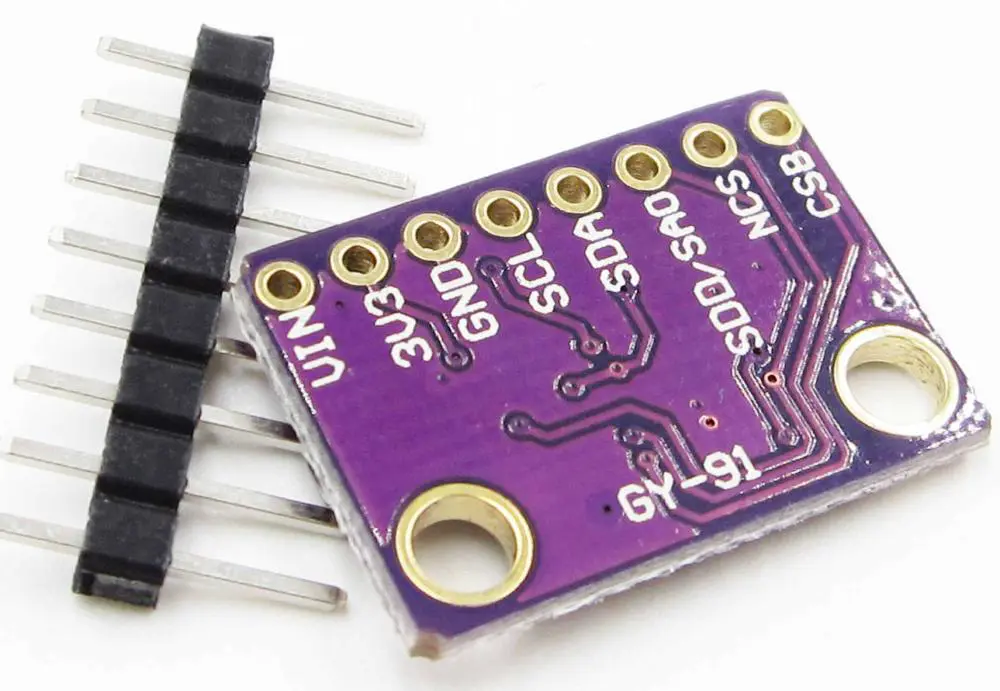
2, BMP280alt text

The primary difference is that the BME280 measures temperature, pressure, and humidity, while the BMP280 measures only temperature and pressure. The BME280 is an all-in-one environmental sensor suitable for weather monitoring, while the BMP280 is a low-cost, accurate option for barometric pressure and altitude tracking.

So I think I’ll have to go with the BME 280

Attachment
0
ego

my new project: a portable, LoRa-enabled environmental communication device

the Bill of Materials (BOM) I just finalized, this is going to be a dense build. I’m using the ESP32-S3 as the core—mostly because I need that extra PSRAM for future UI elements on the OLED, and the dual-core power for handling LoRa stacks and sensor polling simultaneously.

I’ve decided to start the assembly with the power management circuit. I’m using the MCP73871. I chose this chip specifically because it has System Power Path Management.

0