Shipped this project!
finished my driver!
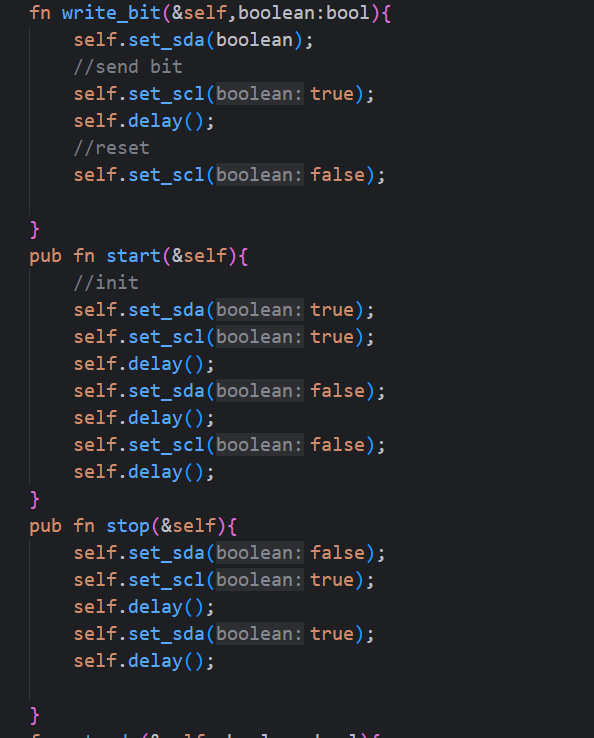
this driver controls an oled display with the soul functionality of turining a gpio pin on/off
finished my driver!
this driver controls an oled display with the soul functionality of turining a gpio pin on/off
added some optimiztions
regarding the delay to keep up with hardware frequency

and demo’ed the project
link to demo
i am currently working with my friend to create a userspace library to interact with the oled display (draw in specific pixels, draw circles or maybe even a raycasting/raymarching renderer)
Log in to leave a comment
after a long dubbiging session and a frustrating clash with the rust pr_info!() function (that will fucking corrupt your memory if you dont put a \n at the end)
i got the screen to work!
and by working i DO NOT mean only lighting up and showing random pixles- i mean i can write to the oleds misc device file and it will display it on the oled!
this is a demo vid of the display
so basically the driver is done but there are some optimizations to be done so next devlog will prb be the last before shipping

the module has succesfully loaded to kernel and opened a misc device under /dev, now it has also sent the init sequence to turn on the screen!!!!!
(the screen shows random data because nothing has been written to it yet)

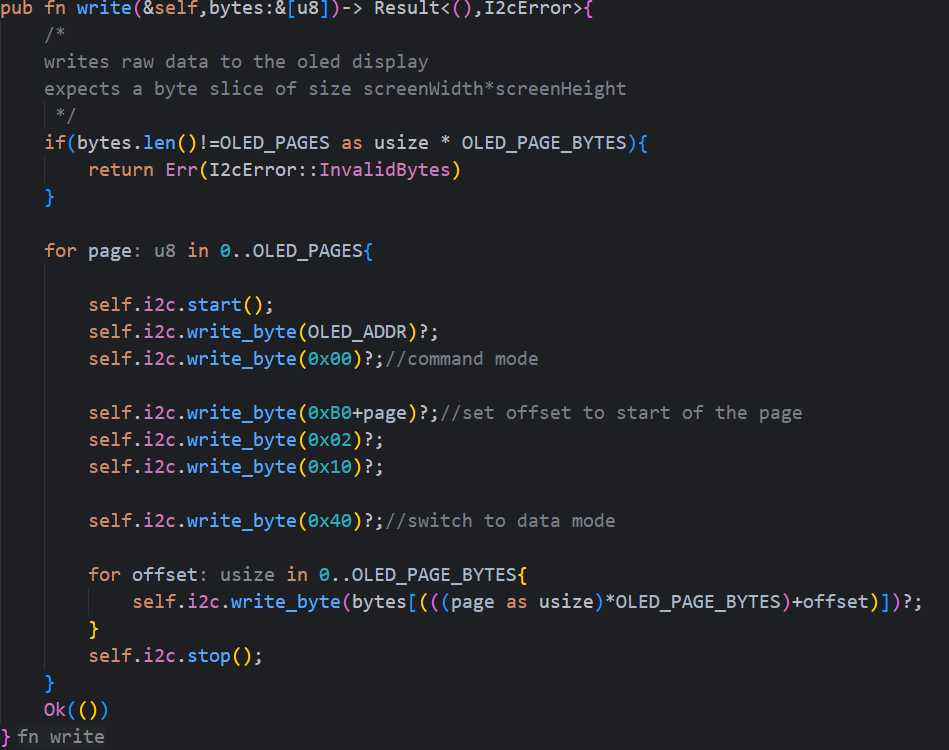
i implemented the write function that hooks write syscalls to the misc device and sends the data to my i2c handler to be written onto the screen (not tested yet but fully implemented)
Log in to leave a comment
so i finished writing the init function- most of the time spent since the last devlog wasnt on the function itself rather researching my oled display and its requirements
also i had to research how a communication sequence looks like for this specific oled, the communication itself happens over i2c but the specific detaild about how and when to send data differs from display to display,
Log in to leave a comment
since the last devlog i had implemented the basic i2c interactions:
the image below is the first basic 8 byte transfer that happnens when initialising an i2c connection.
Log in to leave a comment
so, most of the progress i did was out-of-editor so time isnt really logged accuratly BUT:
i finally loaded my first kernel module that interacts successfully with the physical gpios

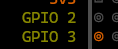
gpio 2 and 3 are on my default and i wrote a module to turn 2 off.
so gpio interaction is set up and ready to develop
when using the rpipins tool (the one used in the image above) for mapping out all the gpio pins, i came across a bug that causes the app to crash so i lowkey fixed it and opened a pull request to merge my fix.
Log in to leave a comment
ok, so i had to do a lot of stuff before starting to work on the driver itself!
the image attached is the kernel logs!!!
(ofc the output was through an ssh connection to the raspi)
Log in to leave a comment
finnaly added AArch64 support (cross-compilation) for the shoresh language!
it is currently 5 am.
i spent 2 hours debugging this single fibbonacci program.
because im developing arm64 support for my compiler and my processor is x86_64- i have to use an emulator
the process of debugging through an emulator is pure toture
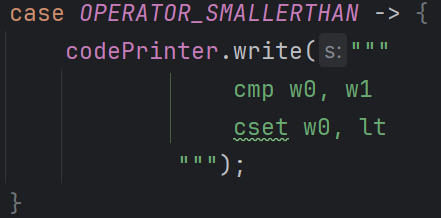
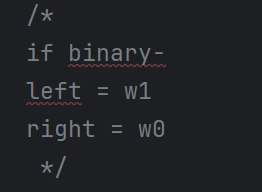
in my arm64 asm generator i accidentally swapped the w0 and w1 registers
w0 -is the right side of the expression
w1- is the left side of the expression
which i documented for myself at the head of this function:

so i was acc checking if w0<w1 (right<left)
instead of w1<w0 (left<right)
when checking “lower than” expression
(bug was also present in higher than expressions)
then it finally worked:

fixed some other bugs i caught on static analysis relating to function prologues and epilogues
Log in to leave a comment
ALSO: i had to learn arm for this, so its been a bit of time since the last devlog!
arm asm is way more annoying than the “regular” x86 architecture, all instructions are limited to 32 bits and with it comes challenges mainly revolving around immidiate value loading and other stuff like literal addresses
but! arm also has some pretty neat features like three operand instructions, meaning i can take 2 registers add them together and put the calculated value in another register- all in one instruction
this saved me a bit of lines of code but not that significant
Log in to leave a comment

i built a compiler for my own language which is inspired by ancient biblical hebrew. the hardest part was debugging the generated asm file to ensure it works as intended -using gdb. during debugging i learned about the 16 byte stack alignment requierment that the libc funcs (and a lot of other libraries) go by. (it has smt to do with optimization). because i used 0 external libraries for this compiler i had to learn a lot about how compilers really work and implement eveything by myself which was really enjoyable
shoc- now available on npm!!!
full documentation is available on the github repo in the link below, documentation contains guide on how you can install the compiler , how to use it & how to write in the language
i just finished testing and and fixing bugs in the assembly part and in the program itself
also added shabatchk function to the compiled asm- it checks if its sabbath today and if it is it will not run (no work is permitted on sabbath)
i also have a repo in my github account that contains the notepad++ config for the user defined language - it provides syntax highlighting for shoresh and a nice development env
i will add support for arm64 linux native asm a
and i will prb add arrays sometime soon
Log in to leave a comment
fixed some bugs in semantic validation(concerning stack alignment in x64 architecture asm)
implemented some of the code generation(to x86_64 GAS intel syntax asm) functions (not all of them)
with the most important one being the AstExpression and made a recursive algorithm to traverse the AST tree and convert it to asm code
the algorithm itself isnt the most efficent because it uses the stack to store intermediate values during calculation and i will prb implement a register map to use the registers instead of the stack (until they are all in use ofc)
i also added io functions to let you input a number to a variable, a function that lets you print an expression and a function that lets you print a string
printing and input is handled by libc
Log in to leave a comment
i added the possibility to use unary expressions like -,! inside my expression parser
the image shown is a debugging functions output that prints out the structred nodes that define the program
the highlighted part is the not operator (לא in hebrew) being parsed correctry
the expression is printed in prefix notation or how some may call it - “polish notation”
i also fixed a bug in the typeCheker that caused the type checker to not check the validity of the expressions it passes to the function
Log in to leave a comment