bit-banging i2c oled kernel driver banner

bit-banging i2c oled kernel driver

8 devlogs
8h 52m 40s

im making a (linux) kernel driver for my raspberry pi to handle my oled display
what is bit-banging?
bit banging is the proccess of manually using software to communicate with hardware (manually turning gpio pins on and off according to a certai…

im making a (linux) kernel driver for my raspberry pi to handle my oled display
what is bit-banging?
bit banging is the proccess of manually using software to communicate with hardware (manually turning gpio pins on and off according to a certain communication protocol)
so basically - im creating a display driver while having the soul functionality of turning a gpio pin on/off

This project uses AI

ai used for learning the i2c protocol & help me recompile the linux kernel to support rust modules
Demo Repository

Loading README...

acetim100

OPTIMIZATIONS

added some optimiztions
regarding the delay to keep up with hardware frequency

and demo’ed the project
link to demo

TO BE CONTINUED!!

i am currently working with my friend to create a userspace library to interact with the oled display (draw in specific pixels, draw circles or maybe even a raycasting/raymarching renderer)

Attachment
0
acetim100

DEBUGGING, FIXING, AND MORE DEBUGGING!

after a long dubbiging session and a frustrating clash with the rust pr_info!() function (that will fucking corrupt your memory if you dont put a \n at the end)
i got the screen to work!
and by working i DO NOT mean only lighting up and showing random pixles- i mean i can write to the oleds misc device file and it will display it on the oled!
this is a demo vid of the display

so basically the driver is done but there are some optimizations to be done so next devlog will prb be the last before shipping

Attachment
1

Comments

BnaJns
BnaJns about 12 hours ago

flightreacts 🥹

acetim100

AHHHHHHH THE SCREEN IS ONNNN


the module has succesfully loaded to kernel and opened a misc device under /dev, now it has also sent the init sequence to turn on the screen!!!!!
(the screen shows random data because nothing has been written to it yet)

also i forgot to mention in the last devlog:


i implemented the write function that hooks write syscalls to the misc device and sends the data to my i2c handler to be written onto the screen (not tested yet but fully implemented)

Attachment
0
acetim100

kind of a stupid minor devlog

BUT I GOT THE MISC DEVICE UP AND RUNNING RAAAHHHH

GATEWAY TO USERLAND IS WIDE OPEN

Attachment
0
acetim100

INIT FUNCTION

so i finished writing the init function- most of the time spent since the last devlog wasnt on the function itself rather researching my oled display and its requirements
also i had to research how a communication sequence looks like for this specific oled, the communication itself happens over i2c but the specific detaild about how and when to send data differs from display to display,


Changelog

Attachment
0
acetim100

PROJECT UPDATE!

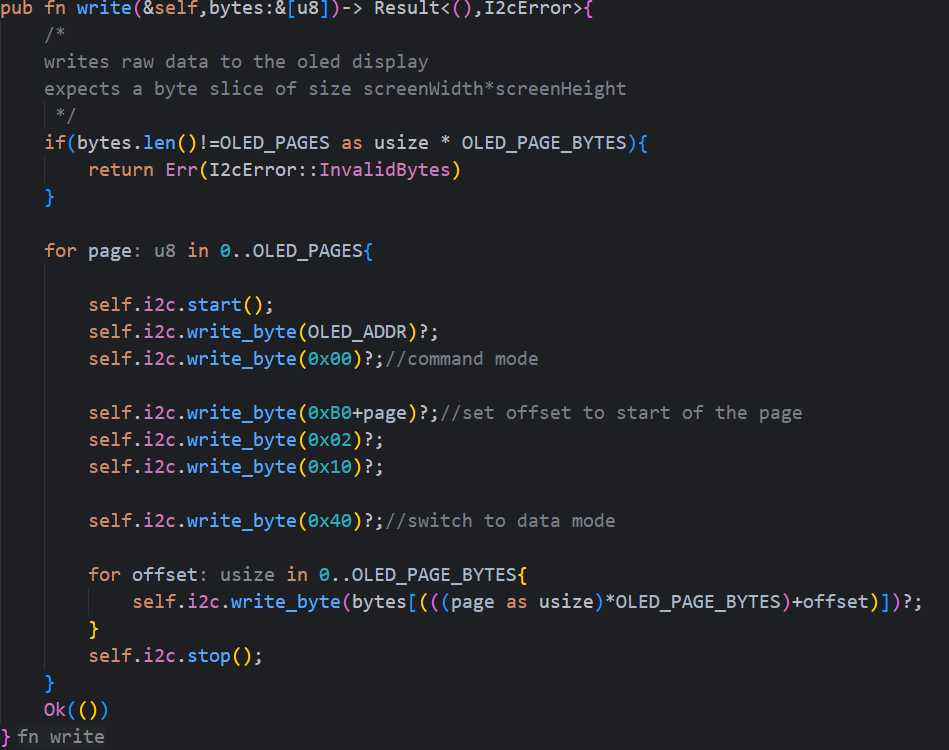
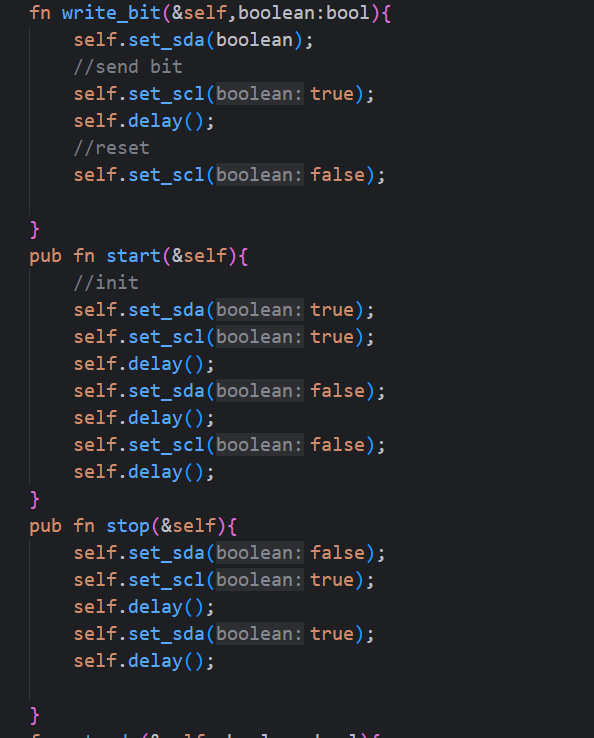
since the last devlog i had implemented the basic i2c interactions:

  • i2c start
  • i2c stop
  • write byte
    this paper was really helpful
    i have also set up a device file to let userspace processes interact with my driver.
    basically the driver “hooks” all write calls to that specific file in the /dev folder and passes the buffer to my driver (i also need to copy the buffer to kernel memeory) and then it writes to the screen.

the image below is the first basic 8 byte transfer that happnens when initialising an i2c connection.

Attachment
0
acetim100

FIRST GPIO INTERACTION

so, most of the progress i did was out-of-editor so time isnt really logged accuratly BUT:
i finally loaded my first kernel module that interacts successfully with the physical gpios

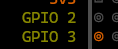
gpio 2 and 3 are on my default and i wrote a module to turn 2 off.
so gpio interaction is set up and ready to develop

also:

when using the rpipins tool (the one used in the image above) for mapping out all the gpio pins, i came across a bug that causes the app to crash so i lowkey fixed it and opened a pull request to merge my fix.

Attachment
0
acetim100

FINISHED DEVELOPMENT ENV SETUP!!

ok, so i had to do a lot of stuff before starting to work on the driver itself!

  • i had to recompile the raspberry pi linux kernel because it did not have rust support (i develop the driver in rust)
  • i also had to config my ide to recognise the kernel crate (which is not by default in crates.io) so i had to clone the tree locally
  • created a script to automate deployment (compilation - > copy module with scp to raspi-> ssh to raspi->remove previous module ->load new module)

loaded my first kernel module!!

the image attached is the kernel logs!!!
(ofc the output was through an ssh connection to the raspi)

Attachment
0