Activity

secretaditzu78

Devlog 64

  • Remodel of the Comunity Maps menu

What is new here?

  • Here is the list of the comits

Comit (e029eb5)

1. Tabs

  • Now the tab have 3 main tabs: Browse, Publish, Account
    • Browse: Now the islands have a Low Quality preview in the Left of it, Search bar for finding maps faster
    • Publish: this tab kinda remained the same
    • Account: Here the user can log in using a Google or a HackClub account in the future, here you will also find how manny maps you published, a delete account button and a log out button button

2. Map Preview

  • Let’s take a closer look at the map preview

  • Here you will find the colors used

  1. null - eraser

  2. #8B6340 - dirt

  3. #9B7350 - dirt2

  4. #7a5530 - ShovedDirt

  5. #5a9e3a - flovers

  6. #787878 - rock

  7. #c8a040 - crops

  8. #909090 - stone

  9. #607060 - mossystone

  10. #d4c080 - sand

  11. #c08050 - redsand

  12. #3060c0 - water

  13. #e8f0ff - snow

  14. #9eb0c0 - snowrocks

  15. #a0d0e8 - ice

  16. #e07020 - pumpkin

  17. #d4a830 - Hay

  18. #50a830 - melon

  19. #2a7a20 - tree

  20. #8ab0c8 - snowed_tree

  21. #f0f8ff - snowman

  22. #8B5E3C - wood

  23. #3a8a28 - leaf

  24. #d8eaf8 - snow2

  25. #d0e8f8 - snowmanb1

  26. #c8e0f0 - snowmanb2

  27. #e8f4ff - SnowmanHead

  • also some elements like trees and snow mans does not render correct

3. Account login with HC OAuth

  • As I said I would like to implement this tipe of signin/login I just need to get aproved, and maybe move from github pages

Comit (68cf688)

  • Now the accounts tab uses the icon account.png instead of google.png finded in ./Assets/Icons/

This is all about the new Comunity Maps menu, what do you think?

Attachment
0
secretaditzu78

Devlog 63

Comit (9aba978)

  • Fixed ToDo banner
  • Issue caused by the folder GithubAssets migrated .github

Comit (206642c)

  • Added Semi-Banners for the Contributing options for astetic look!

Comit (77289c7)

  • Fixed the paths for the banners in the contribute tab because in the visual studio code it looked fine but when I pushed the update it did not find the banners
  • It was because I used to drag’n’shift on the MarkDown file and because of that it did not include .github in the file path

Comit (6579604)

  • Added banners for optimization in Readme and translate in Contributions

That is all, what do you think?

Attachment
0
secretaditzu78

Devlog 62 (3029862) menhera-point

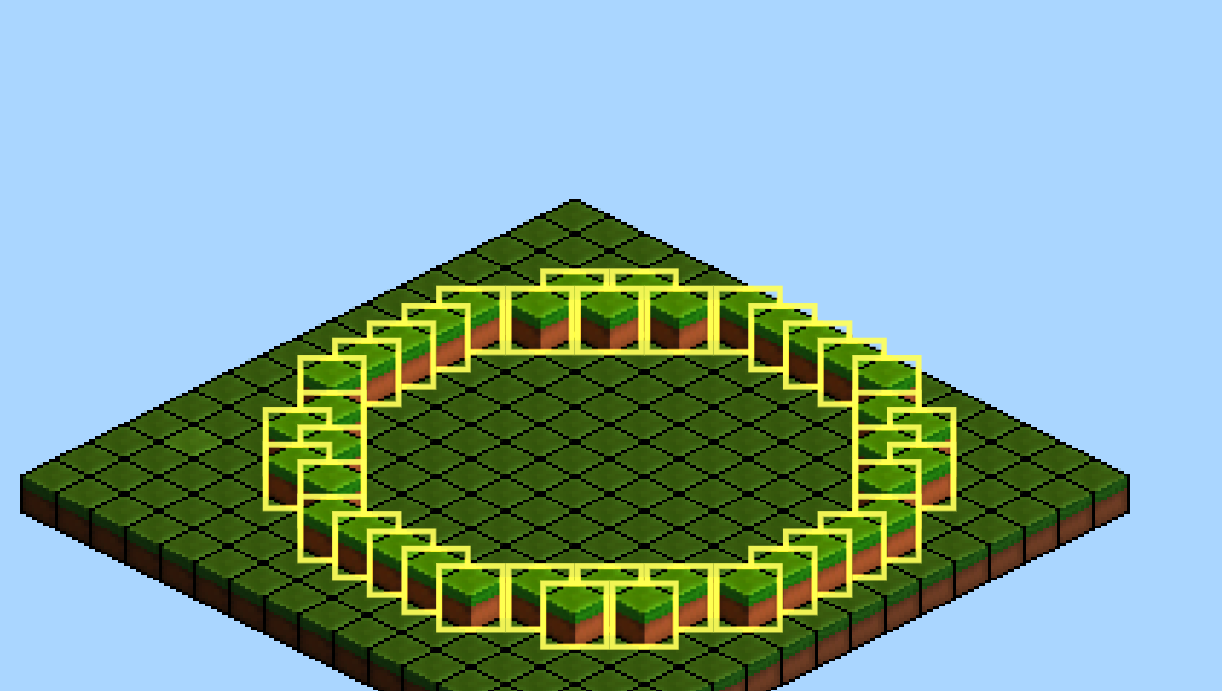
  • More radial tools for efficiency creating and editing islands

New Radial Tools:

  1. Circle Tool
  • Place circles on the islands/Cut island in circle form
  • Place materials in a circle way or top layers stuff
  1. Line Tool
  • Place lines on the island/Cut island into multiple islands
  • Place items in a line shape like melons , trees , and more
  1. Magic Wand
  • Select Blocks with advamced pathfinding for selecting and modifying blocks
  • Does not work with multi layer stuff like trees
  1. Terraforming Brush
  • Make mountains and increase Y level
  • Gotta be buggy

Typical use

  1. Circle tool: Make a circle island or a circle outline for the island more easily
  2. Line tool: You can make paths more easily
  3. Magic Wand: Select staked blocked more easily
  4. Trraformig: Make mountains witout using the fill options more easily
  • You can always find more uses for this tools this are just a few exemples

That is all the new stuff for this devlog, what do you say ? menhera-huh

Attachment
0
secretaditzu78

Devlog 61


Comit (8206825)

  • Added Founding option to the game’s repository, now you can give me your $ :3
  • I also added Contributions, but I did not done the tab yeet

Comit (b9585fc) 🆕

  • Added Revolut button in the readme descriptios so you can donate using that too

Comit (eb8d784)

  • Moved all content from GithubPreview to .Github so the repo is lookin clean

Comit (0eaaea5) menhera-point

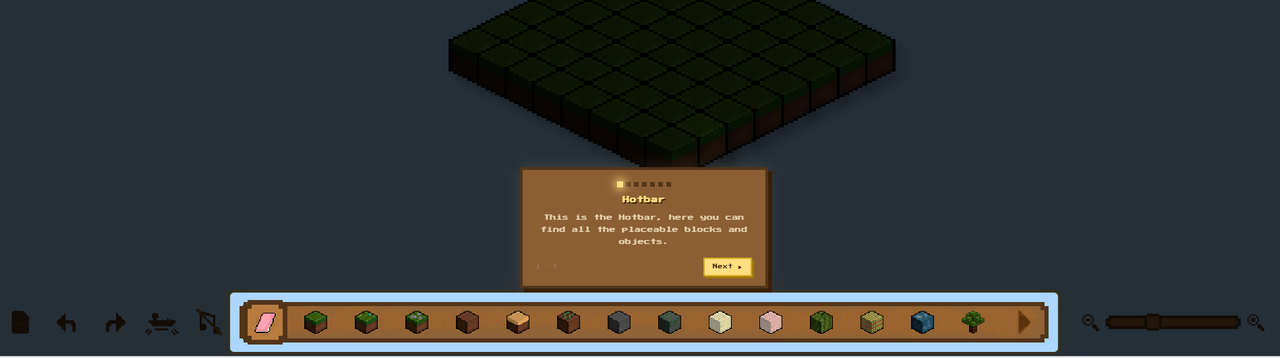
  • Popup Help tooltips
  • This “Helps” people to understand what the popup does when oppened
  • Popups legible for this tooltip have a [?] button nex to the [x] button, this will help some users with the confusion

This is all about what is new, what do you think? osh-mmm

Attachment
0
secretaditzu78

Devlog 60 (dcbcf9d)

  • Added more Achievements yay
  • Because I need to keep the game silly i will push some useless verry cool updates

New Achievements list:

  1. It floats! flying_money_with_wings
  • Make your island float
  1. You are crazyy stop! prayer
  • Open the Island as Emoji tab
  1. It’s good to share bro-visited-his-friend
  • Share your island link
  1. Potato Mode ON sorry-my-ai-api-got-rate-limited
  • Turn off al graphics settings

  • Achievements are a way of exploring the menus so this will keep you entertained for a time :3 because I love my users ofc ofc

Anyway this is all about the new stuff in my game what do you think menhera-point

Attachment
0
secretaditzu78

Devlog 59

  • Delete Account System!
    You don’t play my game anymore? (you won’t do that did you) Now you can delete your shared islands and account linked in my firebase!
  • When you delete your account you will not be able to post maps anymore unless (ofc) you log again to your google account which will store your data again (ofc)

Why I added that?
I was forced by GDPR, they said that they will find me and fine me

Attachment
3

Comments

tanjim
tanjim 4 days ago

ew you use firebase? switch to sqlite/postgres

tanjim
tanjim 4 days ago

(dont take my last comment as offense or advice this is a cool project)

secretaditzu78
secretaditzu78 4 days ago

I just need a simple hosting, Firebase is good enough

secretaditzu78

Shipped this project!

Hours: 14.2
Cookies: 🍪 425
Multiplier: 29.93 cookies/hr

Made the UI very friendly, added legal documents like: Terms of Service and Privacy Policy in Markdown and PDF formats, added delete account (not developed yet), added more tools like Air Block Show, Save Slots, Cursor Trails, Achievements, Toolbar Effects & Reorder

secretaditzu78

Devlog 58

(More content that you will enjoy)

  • Added Licenses Button in thes settings menhera-happy-wave
  • Now you can see the privacy policy and the terms of service again from the game menhera-happy-wave
  • Also now you can see the tutorial again via Licenses Button menhera-happy-wave

  • New repo folder!
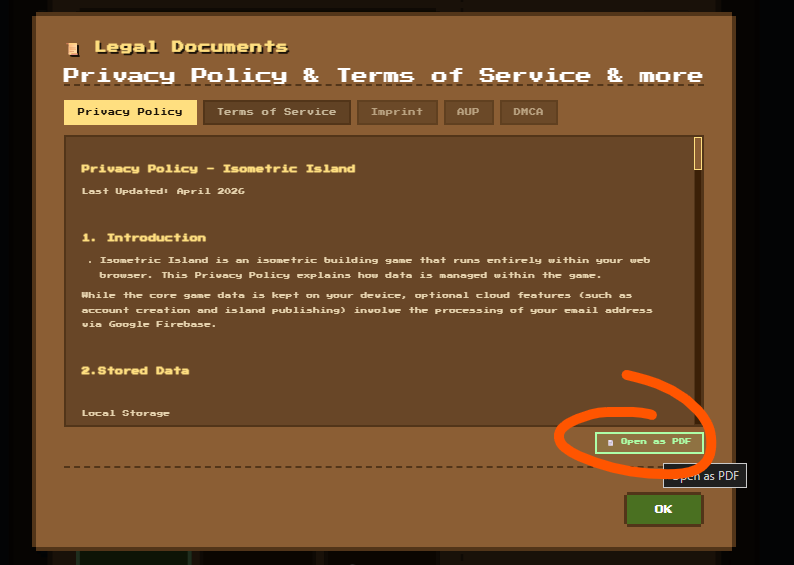
  • Legal Documents includes a PDF version of Privacy Policy and the Terms Of Service because MarkDown may sound confusing for some of you :3 menhera-huh

Anyway that is all what do you think about drgn_hidden

Attachment
0
secretaditzu78

Devlog 57

(you surely will enjoy this devlog 💀)

  • Added Terms of Service menhera-happy-wave
  • Added Privacy Policy menhera-happy-wave

  • Now in order to continue to play the game you need to accept this, else you will be blocked by the popup ban
  • You have to accept Terms of Service and Privacy Policy!
  • This docs contains esential information about the data colected by my project (not too mutch anyway :3 but you gotta read that)

That is all :3 menhera-huh

Attachment
0
secretaditzu78

Devlog 56

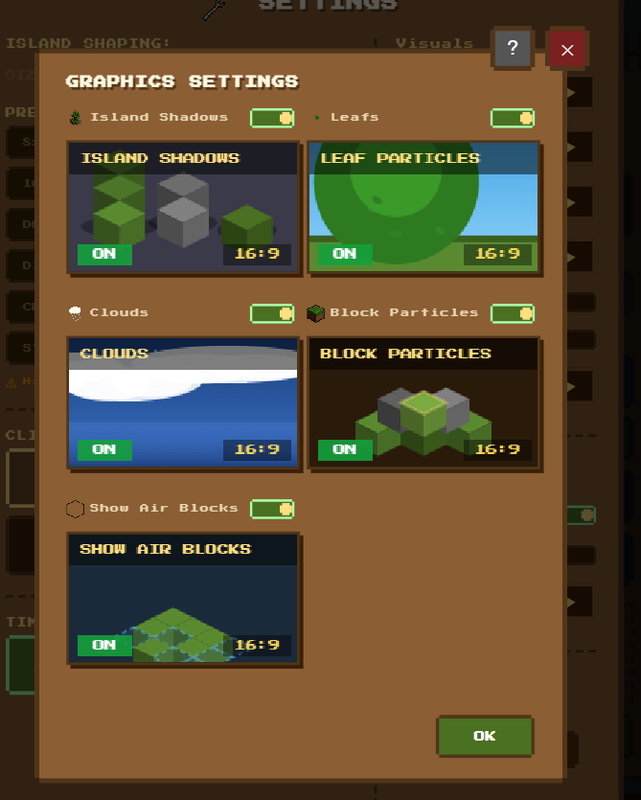
  • added show air block, this will now show a outlined black block that is considered “air”
  • this option can be turned on from the graphics settings when the user wants menhera-point

  • this actually shows the grid when the user does do a more gridy island or double islands, this makes the things more easely for the user
  • and when erased the air block this will make some pop effects c3
  • this is a simple option yet an usefull one

  • that is all what do you think? drgn_hidden
Attachment
0
secretaditzu78

Devlog 55

Inventory/Hotbar items sort

  • this feauture helps with the item sort on each page of the hotbar
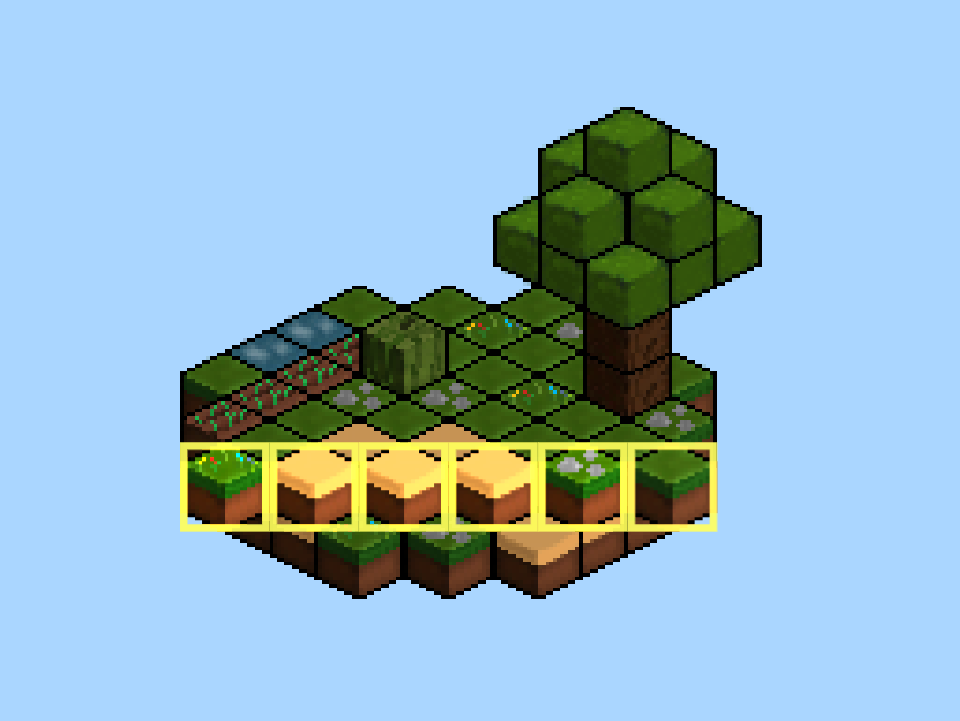
  • In order to sort an item you need to drag the item with the cursor, until you see a yellow line (#FFDF80) then drag your item until you see the line in front of the item you want to place
  • I consider it preatty useless but maybe someone will apreciate it

  • you can really get creative with the hotbar arrangement but for me is gtg anyway
  • a big down fall is that you cant move items for the page 2 or 1 on the next page or vice versa so yea blame me c:

What do you guys think?

Attachment
0
secretaditzu78

Devlog 54

Added save slots

  • Now you can save up to 3 island on the in-game project storage using localStorage
  • The popup contais all 3 slots even when unused with the “empty” label (cuze I was so lazy to hide them )
  • You can save in any slot regarding of the order so for exemple you can save in slot 3 but slot 1 and slot 2 to be empty, very weird but it works orpheus-explode
  • Each save slot contains the following buttons : save, delete, load

When you choose to save your island in a slot the folowing things will happen:

  • The game transforms your island into a load code (just like the island save code from the file menu)
  • The minimap saves and loads as a thumbnail in the menu for showing how the island will look (kinda)
  • Data is stored in localStorage ready for the next visit on the website :D

That is all about the save slots, what do you think about this ? :D

Attachment
0
secretaditzu78

Devlog 53

  1. Added cursor trails option avalabile in the settings and Cursor settings, when turned on the cursor will make trails
  • Trails are like small particles of colors that go in small random directions, go transparent and lose size and then that particle is deleted for the best perofrmance when this option is turned on this happening on a loop :3

Here are the colors that Mouse Trail uses when turned on and you move your cursors

  1. Light Color: #ffdf80
  2. Medium Light #ffd060
  3. Low Light #e8a020
  4. Darker #c47010
  • you can get really creative changing this values to anything :)

  • The option svaes up so the game will remember you haved turned on next time you load the page
  • Also it can be verry small if the Scale option is not configured corectlly so be sure to configure the scale properlly before turning this option on :3
  • In my opinion it looks the best when the cursor is on the cross form orpheus-explode

What do you think?

Attachment
0
secretaditzu78

Devlog 52

Added Achiveements system: Now you can unlock some fun achivements and see easter eggs in this menu, i find this really fun and POP!
Also I need to design more icons and stuff for this popup but I love how it looks until now :3

orpheus-explode

Attachment
0
secretaditzu78

Devlog 51

Hotbar small update: Now the hotbar elements bounce when cursor hold or touch one item for exemple: grass, it sounds so unnecsary but it makes the game POP!

Attachment
0
secretaditzu78

Devlog 50

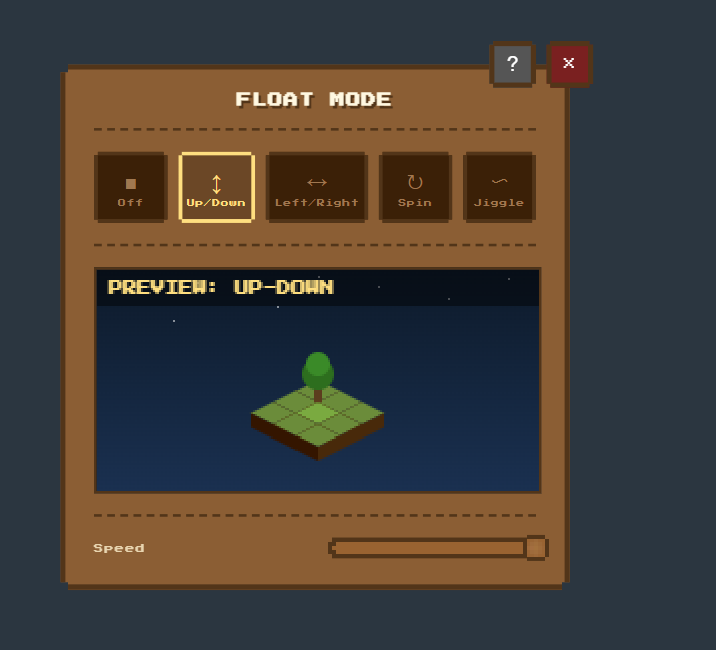
Added island float speed (verry usefull ik) , now you can change the speed of the float and make it more radio active

Attachment
0
secretaditzu78

Devlog 49

Moved the terrain generators form the file menu to a new popup called “Fun” , in this popup I will store some crazy things that will come in the next devlogs, for exemple for now “Island As An “Emoji”. This converst your island top view into an emoji grid, just for fun but sometimes it can look sick :3

Attachment
0
secretaditzu78

Shipped this project!

Hours: 3.45
Cookies: 🍪 102
Multiplier: 29.56 cookies/hr

New Ui tools + Buffers for in game smoothness & more

secretaditzu78

Devlog 48

Added a cooldown in the guide and a warn when the user try to exit because some recent votes shows that some people does not really read the tutorial
Here are some votes that lead to this change (no offense)

Votes

  1. I like the project but I think it would be better to have an option to click and drag to paint blocks instead of clicking on each individual one
  2. Noice project! Smol suggestion for controls: if you drag your mouse while holding down, it should keep placing
  3. It is working but I am not able to stack blocks add some instructions
  4. Nice idea easy to use works well add more features
  5. but it is not working properly so I can’t say that it is giving me correctly response so keep learn more keep it up and keep growing
  6. Cool and serene, game? But the zoom bar overlaps the toolbar
  7. Cool project, would like to see if you could make the island expandable
  8. The textures are really blury and look actualy kinda terrible and then drawing on top of already existing blocks is a bit hard

Seeing votes like that can be frustrating that is why I hope this feautre will prevent it in some cases :3

Attachment
0
secretaditzu78

Devlog 47

I added a buffer that helps your browser pocesing the data faster (a bit) from the cache, this means that your unsaved island and your settings will load mutch more faster witout doing anything more. Also some bug fixes for some popups like fill that did glitch when clicked on the close button

Attachment
0
secretaditzu78

Devlog 46

added a volume slider for the music because it can sometimes be loud, this makes it easy to lower down the volume

Attachment
0
secretaditzu78

Shipped this project!

Hours: 7.18
Cookies: 🍪 212
Multiplier: 29.58 cookies/hr

Polish and a lot of bug fixes :>

secretaditzu78

Devlog 45

Bug fix: Delete animation is a slide down instead of a snake effect
Why? Because it was slow and laggy

Attachment
0
secretaditzu78

Devlog 44

Added Keybind menu! Now you can manage the shortcuts as you want :3 Feel free to get creative (hehe)

Attachment
0
secretaditzu78

Devlog43
Added more radial menu shortcuts for more productivity
New tools:Settings Shortcut that opens the settings menu faster, Prezentation Mode that hides the GUI menus and shows them when turned off

Attachment
0
secretaditzu78

Devlog42

  • Island Cache restore!
  • Now when you visit the website again your old island gets recoverd :3
Attachment
0
secretaditzu78

Devlog41
16x16 islands! Now you can extend you island twice more and make it more beautiful!
Also presets: a more convinient way to start a new island :3

Attachment
0
secretaditzu78

Devlog40
added a disclaimer for the comunity maps for the stuff is actually here and for the people to agree with the rules! Have fun creating maps!

Attachment
0
secretaditzu78

Devlog39
Added radial menu that adds a lot of functionality like Brush Size, Grid, Mirror mode
Brush size can be selected from 1x1 to 7x7
Grid toggle
Mirror options

Attachment
0
secretaditzu78

Shipped this project!

Hours: 11.25
Cookies: 🍪 337
Multiplier: 29.92 cookies/hr

Added more features and greater control: I’m proud of the Public Islands powered by FIREBASE, and the much more user-friendly design,

secretaditzu78

Devlog 38

Added Island Links! That is a more convinient way to share islands with others: just load the link in the adreess bar, press enter and you good to go

Attachment
0
secretaditzu78

Devlog37

  • Added a squish block placement
  • more easter eggs :3
  • more bug fixes
Attachment
0
secretaditzu78

Devlog36

  • Added video effects to simulate a more retro atmosphere
Attachment
0
secretaditzu78

Devlog35

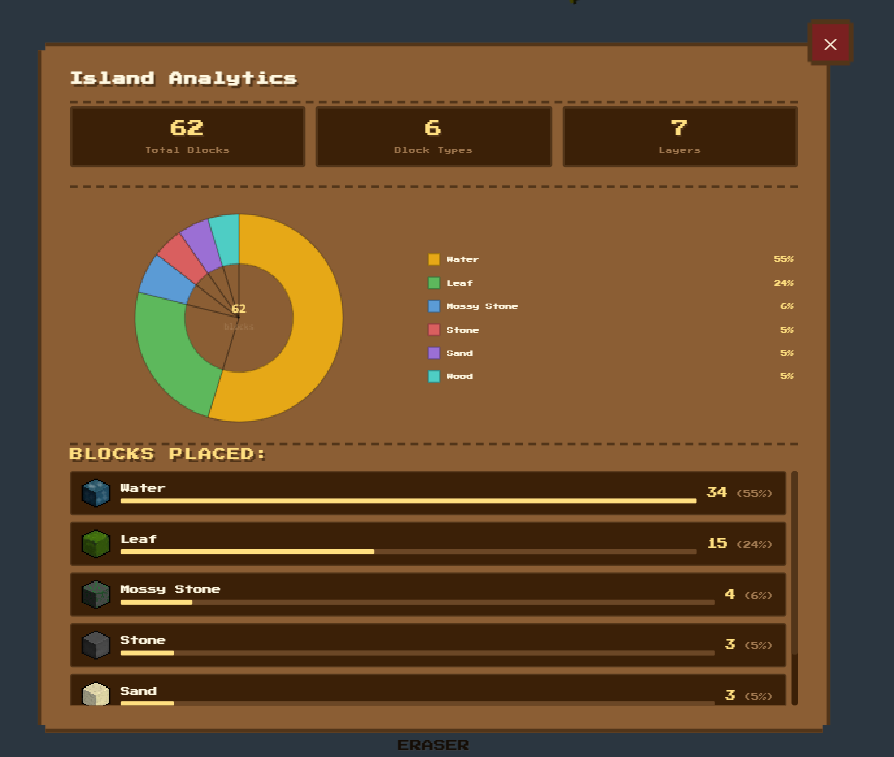
  • Aded island analytics: you can see informations about how mutch blocks you placed on the island and layers
Attachment
0
secretaditzu78

Devlog34

  • Added Snake-Delete-Animation witch is really cool when deleting an island
  • Added Socials, Version number to the game (socials like instagram, Revolut,Github)
Attachment
0
secretaditzu78

Devlog33

  • Added support for Iframe Embed, now you can show your island to other sites, even your personal one :3
Attachment
0
secretaditzu78

Devlog 32

  • This devlog adds the possibility to click on the minimap to zoom the island to a corner or whatever
  • More easter eggs (PS: Dig in game files to fiind something)
  • More keyboard shortcuts
Attachment
0
secretaditzu78

Devlog 31
Added more Float modes for your island, just press the island float button and choose one maybe make it simple or funny, hehe

Attachment
2

Comments

tunnor
tunnor 23 days ago

Looks great! It would be cool if you added a random island option that just populates it with random trees and blocks for fun…

secretaditzu78
secretaditzu78 23 days ago

Hi @ptanner999 that stuff allredy exists in the game: go to file-> generate island/mountain!

secretaditzu78

Devlog 30
I made bg music more… let’s say intreasting now you can choose to listen between a spotifty playlist or the bg music, I embeded a playlist using an Iframe that let you listen :3. I added this because I think manny people will love a custom playlist. :3

Attachment
0
secretaditzu78

Devlog 29
Added icons to File, Settings, Graphics, and Pointer popups, and optimized GUI colors

Attachment
0
secretaditzu78

Devlog 28

Added support for comunity maps using google firebase:
this will let you load maps made by other cool persons, but it will let you publish only if you login using google OAuth

Here are a few rule quoted from readme before publishing maps

  • Do not replicate EXPLICIT content (when you login I have acces to your username, gmail so it will be a shame to do that)
  • Do not make bad maps or empty maps
Attachment
0
secretaditzu78

Shipped this project!

Hours: 7.53
Cookies: 🍪 218
Multiplier: 28.97 cookies/hr

i build more support for browsers like firefox and touch screen devices, added optimizations like lazy audio loading and in memory image chasing so the project will load faster when you visit again

secretaditzu78

Devlog 27

More compatibilty for tablets: Pinch to zoom , hold to select
Gui colors :) : Green, Blue , Brown (default) or automatic :3, this setting can be changed in the settings menu via GUI option

Attachment
0
secretaditzu78

Devlog 26

-added graphics menu in the settings and moved some togles from settings in this popup, also updated readme to more info about this project, more to come :)

Attachment
0
secretaditzu78

Devlog 25
This devlogs adds a new popup in settings for cursor options, also i added cursor tooltips witch show your currentilly block in the right bottom of your cursor

Attachment
0
secretaditzu78

Devlog 24
New popups for random island generators such as mountains or biomes, now you can choose what type of biome you want to generate/the type of mountain you want to generate thanks to the new popups added for more flexibility :3

Attachment
1

Comments

secretaditzu78
secretaditzu78 30 days ago

Forgot to comit

secretaditzu78

Devlog 23

  • Added custom cursors for actions in the game, they can be disabled/activated in the settings tab
Attachment
0
secretaditzu78

Devlog 22
Fixed some bugs for terraforming and made the selection grid better to see, also added a white grid that can be toggled. Now you can build or generate mountains and make your island more cooler!
also I added a search popup, just press “S” and you can search blocks :)

Attachment
0
secretaditzu78

Added tray, startup support for this app, credits @iris

Attachment
0
secretaditzu78

Devlog 21

Fixed the game bugs that exist in firefox (zoom, island blur)
now firefox users can play witout any problems during gameplay or so hehe :)

Attachment
0
secretaditzu78
  • Did a more vibrant and a more rounded design, and I moved the placing bar in the right, added some animations and some fades to look more amazing :D
Attachment
0
secretaditzu78

Devlog 1
Did a simple editor with a grid where user can place platforms , spikes and the spawn point for now

Attachment
0
secretaditzu78

Shipped this project!

Hours: 9.01
Cookies: 🍪 126
Multiplier: 14.02 cookies/hr

I builded a small python app that sinks your activity with your Slack status, this project helped me learn how to use tkinter and widgets, also I think it is a cool tool :)

secretaditzu78

Did a tutorial video on how to setup topic, also avalabile in the readme and some fixes to the app

Attachment
1

Comments

iris
iris about 1 month ago

woa this works so good!! maybe add a way for it to launch when my computer starts (minimized preferably)

secretaditzu78

Did the readme with a guide for the app, and released the final version :)

Attachment
0
secretaditzu78
  • Added support for custom aps like: VSC, Chrome or ANY APP because you need a Spotify Premium account to synk your status to slack so this should be more helpfull :)
Attachment
0
secretaditzu78

Released the Tkinter app, and fixed the terminal version

Here’s a brief overview of the project until now
A simple Python desktop app (using Tkinter) which automatically syncs your Slack status with the song currently playing on Spotify.
Spotify uses the Authorization Code Flow with OAuth 2.0. The user enters their Client ID & Secret, the app opens the browser and goes to the Spotify authorization page, the app catches the URL with the authorization code on its local HTTP server on port 9090, and the code is exchanged for an access and refresh token, which auto-renews in the background every ~3000 seconds.
Slack authentication is much simpler, just a Bearer Token (User OAuth Token) which the user enters themselves.

I will release soon a tutorial on how to actually pair the app, and make a readme :D

Attachment
0
secretaditzu78

Created a Beta terminal version that does not synchronize the time elapsed from Spotify and consumes only about 50 MB of RAM and 1% of CPU but is buggy

Attachment
2

Comments

oggythebuilder01
oggythebuilder01 about 1 month ago

cool 😎

secretaditzu78
secretaditzu78 about 1 month ago

thx :)

secretaditzu78

Shipped this project!

Hours: 43.11
Cookies: 🍪 1266
Multiplier: 29.37 cookies/hr

I created a browser-based isometric world builder with just plain HTML, CSS, and JS.

You can place tiles, fill areas, switch between day/sunset/night, and add rain and snow. You can even share your island as a small save code or even as a QR code. The hardest part was implementing the binary save system with a full island in ~150 characters

secretaditzu78

Devlog 20

  • More settings options
  • Bug fixes
  • In-game scale option (welcome screen & settings)
Attachment
0
secretaditzu78

Devlog 19

Separated the Settings from the File menu, it never really made sense to have it there. Pulled it out into its own menu so the File menu stays focused on saving and loading. Along with that, added four new visual toggles inside Settings: Clouds, Shadows, Leafs, and Fullscreen, all of which get saved with your island and persist between sessions. Deleting an island used to be instant, now a confirmation dialog pops up, also added QR Code saving, you can now export yours as a QR code straight from the File menu, scan it with your phone, and load it on another device.

heh

Attachment
0
secretaditzu78

Devlog 18

With this release, you can now pick the island grid size right from the File Menu, up to 8×8, so you have way more control over how big and shaped your world is. There’s also a new button that lets you create a random island by using seed generation. Block editing got easier too: just right-click or Ctrl + left click to pick a group of blocks. Then you can fill the whole area with any block you want in one go or delete the selected blocks all at once without needing the eraser. When you close a popup now, it plays a sound, and after finishing an action, a small confirmation toast pops up. The layout and touch controls have been updated to work better for tablet users, and now you can install the game straight from Chrome as a standalone PWA or APK (BETA) for tablets!

yayyy

Attachment
0
secretaditzu78

DEVLOG 17

  • Android APK: The BETA Android build is live and available to download on the GitHub page
  • File window: This window let you delete, load, save, and make random seeds for islands (aw and it is lookin cool :3)
  • Export as Code: You can now export your island as a shareable code string directly from the save popup
  • Page Icon: The tab now shows the proper Isometric Island favicon instead of a blank default
  • Random Island: Hit the random button and get a fully generated island from one of five themed seeds: Summer, Snowy, Desert, Ocean, or Stone.(It does do some good islands but u gotta be lucky)
  • Tablet Patches: Fixed several layout issues on tablet-sized screens. The hotbar, minimap, and zoom bar were all misbehaving at mid-range resolutions (Tested on SM-TAB-A9+ 67% zoom)
  • README.md changes: Some readme changes at the guide section

Aw and btw, the glassy version will be delayed
And more to come, I still have some ideas but we are almost to the end of the project

That’s All, what do you think?

Attachment
0
secretaditzu78

Devlog 16

  • Performance & Technical Polishing
  • Hardware Acceleration: Implemented GPU layering optimizations to offload rendering tasks, ensuring a stable frame rate even on lower-end machines.
  • Undo/Redo System: You now have full control over your build history.
  • Minimap: Added a dedicated minimap
  • Readme updates

My plan for small screens (glassy ui) (PS: This will NOT be in the same repo or overwrite with this project, it is just an alternative for small screens and ui optimization)

  • I’m moving away from the classic look for mobile in favor of a modern “Glassmorphism” interface built in HTML. This will provide a sleek, translucent aesthetic that feels native to modern iOS and Android devices. To speed up this transition, I’ll be utilizing AI-assisted design to generate the CSS layouts and component structures. *

That’s all!

Attachment
0
secretaditzu78

Devlog 15

New Keyboard Shortcuts:

E ➔ Quick-select Eraser
P ➔ Toggle between Hotbar Pages
M ➔ Toggle Music (for those quiet building sessions)
F ➔ Toggle Island Float mode

New Multilayer, and blocks

  • Ice
  • Snowy Tree: A winter variant of the classic tree with custom “snow-leaf” textures
  • Grass with rooks

More readme polish

  • Updates to banner designs & new banners

That is all

Attachment
0
secretaditzu78

Devlog #14

1. Zoom System Improvements

  • Smoothed out the zoom bar interaction.
  • The slider now responds more naturally when dragging.

2. Middle Click Drag (Panning Added)

  • You can now middle-click and drag to move the island around.
  • Smooth real-time panning.
  • Cursor changes to indicate dragging state.
  • This makes building much more comfortable when zoomed in

3. UI Improvements

  • Smoother hover animations on action buttons.
  • Improved feedback when interacting with UI elements.

4. Hotbar Update

  • Added a second hotbar page.
  • Page switching now keeps track of the last selected block per page.
  • Added navigation buttons for switching between pages.

5. README Improvements

  • Grammar corrections.
  • Added more visual banners for better readability.
  • General formatting improvements.

What do you think?

Attachment
0
secretaditzu78

Devlog #13
What is new?

  • Tree & Nature Transformation
    • Multilayer System: With a new layered structure, trees now have depth.
  • New Textures
    • For a more streamlined appearance, I redesigned the leaf textures and included a corresponding Hotbar icon.
    • Falling Leaves: To give the island a sense of life, a random particle system was added in which leaves fall from trees.
  • Polish UI & UX
    • Smart Hotbar: No more guessing blocks! Items’ names are now displayed when you hover over them.
    • Atmosphere: For an added “chill” feel, a new Island Float button and a BG Music toggle were added.
    • README Revamp: Significant changes have been made to the VS Code documentation, including the addition of a new visual “How-to” guide

What do you think?

Attachment
Attachment
Attachment
0
secretaditzu78

Devlog #12

  • Added new assets:
    -Pumpkin
    -Cactus
    -DeadBush
    -Leafs that will fall from the tree
    -MultilayerSowman Assets

That’s All, What do you think

Attachment
2

Comments

goelaashvik
goelaashvik about 2 months ago

looks good, is it 3d?

secretaditzu78
secretaditzu78 about 2 months ago

no

secretaditzu78

Devlog #11

  • New Blocks Added:
    Mossy Stone
    Sand
    Red Sand
    -:These new blocks expand the building palette and give you more creative freedom when designing your island

  • New Multilayer Blocks
    Hay
    Melon
    -Multilayer blocks allow more detailed and natural-looking builds, adding depth and variety to your creations


That’s all what do you think

Attachment
2

Comments

suacabsof
suacabsof about 2 months ago

that’s amazing
loved it :)

secretaditzu78
secretaditzu78 about 2 months ago

Thx :)

secretaditzu78

Devlog10

  • Added some new assets to the game: Hay, GrassStone, Sand, RedSand, Raindrops effect, undo , redo buttons
  • I did the assets in Paint.net

That is all what do you think?

Attachment
0
secretaditzu78

Devlog 9

  • Fixed some multilayer objects bugs
  • Now you can press the zoom buttons to zoom the platform
  • Some code optimizations

That’s All!

What do you think?

Attachment
0
secretaditzu78

Devlog3

  • I looked into the WS RP2040 microcontroller
    apparently, it has a lot of pads and an addressable LED
  • I soldered up all the components and set up a script to see if the OLED works
Attachment
Attachment
0
secretaditzu78

Devlog 2

  • I soldered wires to all peripheral components
  • I haven’t touched the microcontroller yet (WS RP2040) because I need to read the datasheet, otherwise I risk damaging it.
Attachment
0
secretaditzu78

Devlog 8

  • Added Trees (a multilayer object) [BETA]
    • Trees can be removed by clicking with eraser on one of the blocks that represents the tree
  • Smoothed out the taskbar animations

What do you Think?

Attachment
4

Comments

iris
iris 2 months ago

woah so pretty! btw you can place multiple trees at the same place

secretaditzu78
secretaditzu78 2 months ago

Ye ik, it is still in beta and a lot of bugs exist lol

aloyak
aloyak 2 months ago

This is pretty cool!

secretaditzu78
secretaditzu78 2 months ago

Thx

secretaditzu78

First Devlog

  • Did the routing in Fritzing
  • Buyed the necesary components

That’s All, Down you will find a timelapse what do you think?

Attachment
1

Comments

iris
iris 2 months ago

woah this project seems really cool !!

secretaditzu78

I expanded the bodies and colored them appropriately to show the HackClub logo, and this is the partial result, I’ll be back with adjustments and the CAD files on github soon.

Attachment
0
secretaditzu78

Maked the sketch for the “HackClub keychain” in fusion 360

Attachment
0
secretaditzu78

Devlog 7

  • Now you can hover the title so it will make an animation
  • The hotbar selector makes an animation when you switch from another block
  • new blocks Grass_Rock, Grass_Flower, Wood
  • Eraser witch can help modelling the island as you want
  • Zoom bar button hover animation
  • Selection bug fixed
  • Added a big aschi title in the code

What do you think?

Attachment
Attachment
1

Comments

iris
iris 2 months ago

woah looks good !

secretaditzu78

Devlog 6

  • Added shadows to the Island
  • Added the font license for the title

That’s All, What do you think?

Attachment
0
secretaditzu78

5th devlog

  • Finally the “game” is avalabile for testing on github pages
  • Did a github documentation and shared all assets ATM with a short guide about the “game” and how to use it, and my todo list

What do you think?

Attachment
0
secretaditzu78

4th Devlog

  • added zoom bar that can zoom in and out the island using some pixelishh design, it gived me some headakes
  • added title text
  • Cursor changes depending on what you select

thst’s all! What do you think?

Attachment
Attachment
0
secretaditzu78

3rd Devlovg

  • Now the hot bar uses a pixelish texture so it looks more cool for the concept
  • Now the island is 8x8 instead of 5x5
  • I added 3 new Blocks:Whater, Crops and Dirt
  • I redesigned the stone texture

What do you tink?
above this you fiind some of my working footage

Attachment
0
secretaditzu78

2nd Devlog

  • I started to design my onwn dirt & stone blocks
  • Now the mini island can be modified with Dirt and Stone Blocks! (i added an universal dock for now but i want to be pixelish )
  • I also added a place sound (./Assets/.)
  • and also the cursor is a cross when touchin island

What do you think?
Down here you have some previews!

Attachment
0
secretaditzu78

First Devlog

  • I started rendering the “Isometric Island” using PNGs like assets with a 24x24 Rezolution, for now it is just a static island with nothing more, also we have a ski blue background

  • You have up/down some reference (depends if you use a extension a preview kinda)

What do you think?

Attachment
1

Comments

Franciszek
Franciszek 2 months ago

looks sick