AirMouse_AI banner

AirMouse_AI

2 devlogs
4h 13m 9s

“I built an AI-powered Virtual Mouse that lets you control your computer with hand gestures! Using OpenCV and MediaPipe, it tracks your hand in real-time. I mapped the index finger landmarks to screen coordinates for movement and implemented a ‘pinch’ gesture (measuring vertical distance) to trigger left-clicks. It’s basically a touchless mouse experience built with Python!”

Who’s working on it?
“Just me! I handled the computer vision logic, coordinate mapping, and system integration using PyAutoGUI.”

What’s next?
“Next, I’m planning to add ‘Right Click’ using a different gesture and implementing a smoothing algorithm to reduce cursor jittering for a more fluid experience.”

Loading README...

Khaled Wael

Shipped this project!

Hours: 4.22
Cookies: 🍪 85
Multiplier: 20.18 cookies/hr

“I took my AI Virtual Mouse from a simple Python script to a fully interactive Web Experience! 🚀

What I Built: > I migrated my hand-tracking logic from local Python (OpenCV/PyAutoGUI) to a sleek, Navy Blue web app using MediaPipe JavaScript. It features a custom gesture-recognition engine where your hand landmarks are drawn in real-time as red points.

How it works: > It’s not just moving a cursor; I implemented a physics-based Drag & Drop system. You can ‘pinch’ virtual shapes (squares and triangles) to grab them and move them across the screen. I even fixed the mirroring issue so when you move your hand right, the cursor actually goes right!

What I learned: > Migrating logic between languages is tricky! I had to figure out how to translate pixel-based coordinates into responsive web viewport units and handle browser-side camera permissions. It’s a huge leap in Usability since now anyone can try it with just a link!”

Khaled Wael

“Big pivot today! I decided to take my AI Virtual Mouse to the next level by moving it from a local Python script to a fully functional Web Application.

What I accomplished:

Logic Migration: Rewrote the entire hand-tracking logic from Python (OpenCV/Mediapipe) to JavaScript.

User Interface: Designed a clean, Navy Blue themed interactive playground with a curved-edge video feed.

Beyond Just Clicking: I didn’t just stop at moving the cursor; I implemented a Gesture-based Drag & Drop system. You can now ‘pinch’ virtual shapes (squares and triangles) and move them around the screen in real-time.

Visual Feedback: Added red-dot hand landmarks for that ‘techy’ AI feel, giving users immediate feedback on what the system sees.”

Attachment
Attachment
0
Khaled Wael

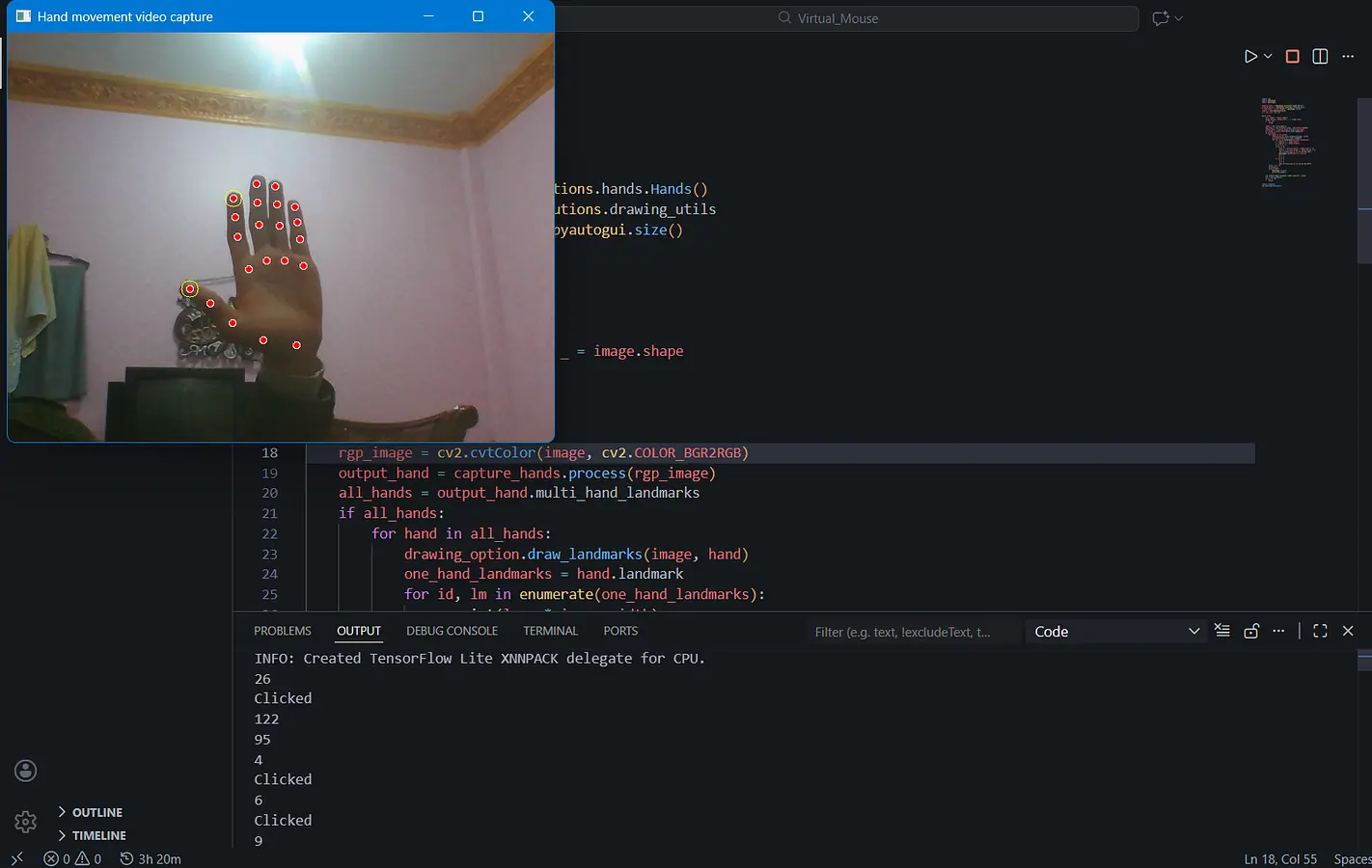
“Spent the last 3 hours building a functional AI Virtual Mouse from scratch!

Set up real-time hand tracking using MediaPipe.

Implemented screen coordinate mapping so the mouse moves precisely with my index finger.

Wrote the logic to detect a ‘pinch’ gesture (thumb and index distance) to trigger system clicks via PyAutoGUI.

Managed to get it all running smoothly in a single Python script!”

Attachment
Attachment
2

Comments

Rice
Rice 10 days ago

remove the ’s from your devlog man

also can it detect your feet because I might try that

Khaled Wael
Khaled Wael 9 days ago

hmmm, i don’t think that the logic will understand the feet, but it might work