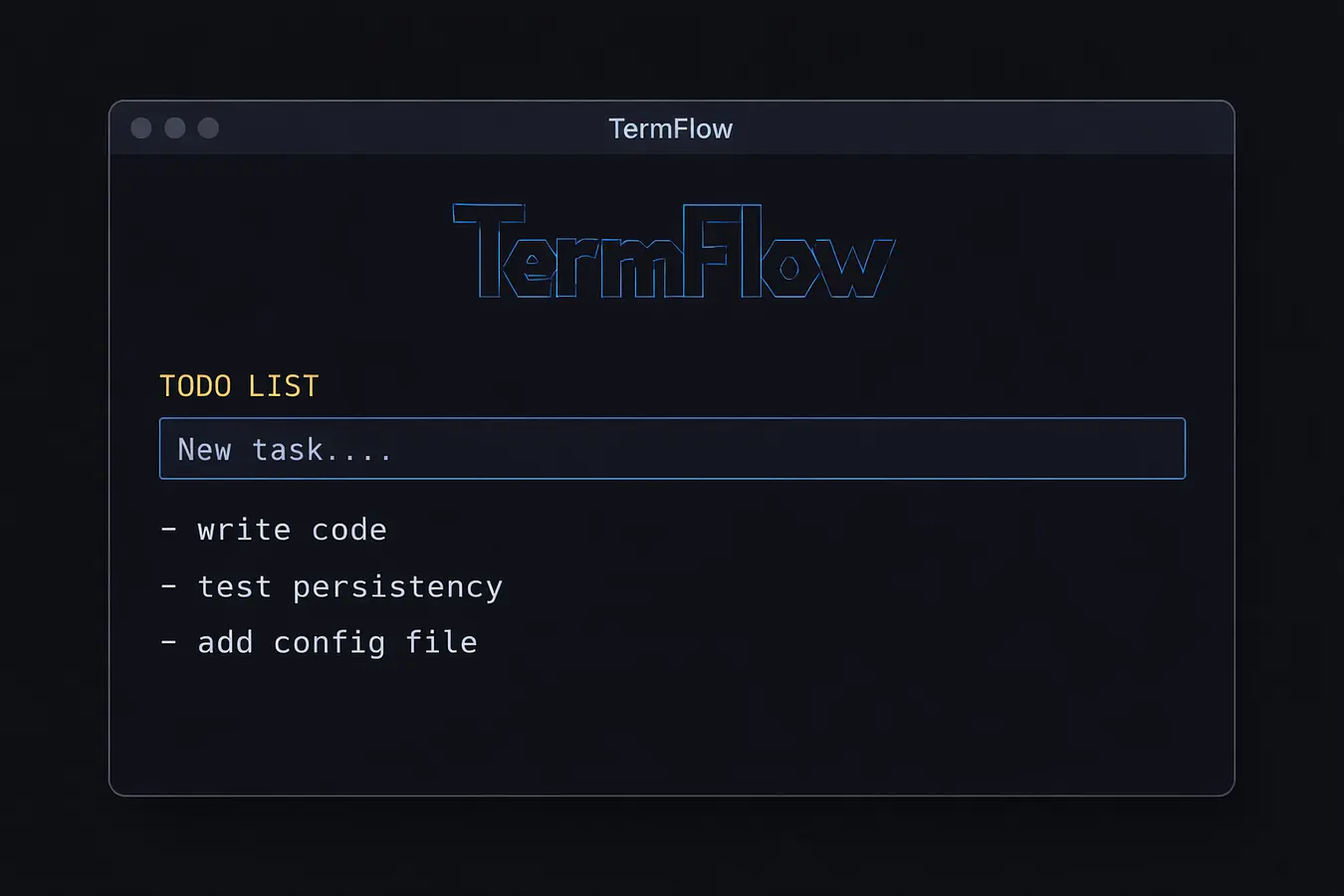
TermFlow — A Minimal Terminal Productivity Suite banner

TermFlow — A Minimal Terminal Productivity Suite

5 devlogs
10h 54m 19s

TermFlow is a minimal, keyboard-driven terminal productivity app built with Python.
It combines a todo list, Pomodoro timer, weather info, and quick-access panels into a single fast TUI designed for daily use.

The project focuses on stability, clean design, and real usability instead of flashy demos.
TermFlow is fully installable as a CLI tool, works cross-platform, and stores user data persistently.

Built and maintained by Atharv as part of the Axoninova community.
Future plans include continued polish, performance improvements, and community-driven iteration.

This project uses AI

yes i used ai in structuring of the code some errors i faced(they made me scratch my scalp out) and in the ui , but the whole logic and style and the tui was done by me.

Loading README...

nubprogrammer

Shipped this project!

Hours: 10.91
Cookies: 🍪 141
Multiplier: 12.89 cookies/hr

I built TermFlow, a minimalist terminal productivity suite that brings a live dashboard, todos, Pomodoro timer, and contextual info directly into the CLI — no browser, no mouse, just keyboard-first flow.

The hardest part wasn’t building the UI, it was shipping it properly. Python packaging, PyPI rules, OS-level restrictions, and broken installs forced me to really understand how production-ready CLIs are structured and distributed. I broke things more times than I can count before it finally worked everywhere.

I’m proud that TermFlow is now a real, installable tool, not just “code that runs on my machine”. It’s clean, fast, and genuinely useful — and the pain taught me more than the easy wins ever could. try it by downloading it by
pip install termflow-cli

nubprogrammer

Website: https://termflowinfo.vercel.app

This devlog is less “polished startup update” and more what actually went down.

🧠 The Idea

TermFlow started as a simple idea:
a keyboard-first terminal dashboard that doesn’t feel like 2009 Linux suffering.

No mouse. No browser. Just vibes and productivity.

💀 The Pain (Very Real)

termflow: command not found after thinking it was installed

Kali Linux pulling the classic
“externally-managed-environment 🤓☝️”

pip install ❌

apt install ❌

Me staring at the terminal at 2 AM like it owed me money

PEP 668 hit harder than expected.
Learned the hard way that pipx is the only sane path on modern distros.

🔧 What Actually Got Fixed

Removed Replit junk & unused files

Proper Python package structure (finally)

Static files moved to termflow/data so installs don’t explode

Added built-in Help and Info screens (no browser needed)

Introduced:

styles.tcss for UI theming

config.toml for future customization

Basically: from “it runs on my machine”
to “okay this is a real CLI now”.

📦 Installation Reality Check

This is the correct way (don’t fight your OS):

pipx install termflow-cli

If you try pip install system-wide on Kali or Arch —
yeah… you already know how that ends.

🌐 Website Update
The site is now cleaner and actually explains what TermFlow is instead of just vibes:
👉 https://termflowinfo.vercel.app

🛣️ What’s Next
More keyboard workflows
Config overrides
Modular features (no bloat)
Less pain (hopefully)

🏁 Final Thoughts
This release wasn’t about features —
it was about surviving packaging hell and coming out with a usable tool.
TermFlow is now:
✅ Installable
✅ Structured
✅ Not lying about working
More chaos soon.

Attachment
Attachment
Attachment
Attachment
0
nubprogrammer

Devlog — 1h 36m [STRUGGLING WITH ERRORS ;-;]

Spent this session mostly battling stability issues rather than adding new features. A few internal state mismatches and rendering bugs caused panels to disappear or behave inconsistently, especially around todos and Flow Mode transitions. Fixed multiple crashes related to corrupted todo data, standardized the completion state handling, and cleaned up the toggle logic so interactions no longer break the UI.

A lot of time went into restoring things that should have been simple — clock rendering, reflections, and panel layout — but this was necessary to get TermFlow back to a stable, predictable state. The app now launches cleanly again and core interactions behave as expected.

With the foundation stabilizing, the next direction is clearer. After fixing these issues, I’m considering adding a Flow Buddy — a calm, optional visual presence during Flow Mode — to enhance focus without breaking the minimalist philosophy. More experimentation coming next session.

Attachment
0
nubprogrammer

Devlog — 3h 37m

Spent a solid session improving the overall look and feel of the project. Focused heavily on UI/UX polish—cleaned up layouts, spacing, and visual hierarchy so everything feels more modern and intuitive. The app now looks much more attractive and usable compared to earlier builds.

The core system is up and running, with the timer actively tracking work time, confirming that the project is correctly detected and logging progress. Main functionality is stable, and the flow between components feels smoother now.

That said, there are still a few remaining issues in the to-do list. Some features need refinement, and a couple of bugs/edge cases are still being worked on. These aren’t blockers, but they do need to be resolved to make the project fully reliable and production-ready.

Overall, this session was about refinement and stability rather than adding flashy new features. The foundation is strong now—next steps will be fixing the remaining errors and tightening everything up.

Attachment
Attachment
0
nubprogrammer

Devlog #2 — UI groundwork & structure

⏱ Time spent: 2h 2m

In this session, I focused on laying down the core UI and internal structure for TermFlow.

What I worked on

Built the initial terminal UI in Python

Structured the project files cleanly so future features are easy to add

Designed the layout for:

Todo list panel

Pomodoro section

Info panel (weather + quotes)

Integrated a quote system (currently static/random, will refine later)

Current state

The UI renders correctly and is stable

Navigation and interaction are not fully wired yet

This session was mainly about visual structure and foundations, not behavior

What’s next

Make the UI fully interactive (keyboard-first)

Fix layout edge cases (help/info panels)

Add a command palette for quick actions (planning phase)

Improve data handling and persistence

This project is still actively evolving. I’ll be iterating on interactivity and polish in the upcoming sessions.

Stay tuned for more devlogs 👀
Follow along as TermFlow grows into a full terminal-first productivity tool.

Attachment
Attachment
1

Comments

developergirishgiri

bro nice plz give me vote also

nubprogrammer

Today I initialized a new project called TermFlow, a terminal-first productivity app focused on minimalism and keyboard-driven workflows.

I set up the base project structure for the CLI application, experimented with layout ideas in the terminal UI, and explored how different modules might fit together (tasks, timers, and info panels).

Alongside the CLI work, I also created a small in-progress landing page for TermFlow. The website is currently a placeholder and will later showcase features, usage, and documentation once the core app stabilizes.

Most of this session was spent experimenting, restructuring folders, and testing ideas rather than finalizing features.

Next steps:

Fix UI layout issues (especially help/info panels)

Improve stability and keyboard navigation

Start polishing TermFlow into a more cohesive experience
basically bringing it to life ig LETS SEE YAL IN 2 OR 3 HOURS

Attachment
Attachment
0